
3 Bluetooth OBD2 Scanners for DIY Repairs: OBDLink MX+, BlueDriver, and Autel AP200
A check engine light rarely tells you how much trouble you are in. It only tells you the car has stored a diagnostic clue. The wrong scanner can make that moment worse: it may read only a generic engine code, hide the system you actually need, lock you into the wrong app, or create extra software costs after the hardware arrives.
That is the practical reason to compare Bluetooth OBD2 scanners for DIY repairs before buying. OBDLink MX+, BlueDriver Pro, and Autel AP200 all plug into the OBD2 port and use a phone app, but they solve different jobs. The right choice depends on whether you want flexible live data, a guided repair workflow, or service reset coverage for a known vehicle.
Scope note: Premerinn has not performed first-hand bench testing on these scanners. This shortlist is based on official product pages, retailer price pages checked on April 30, 2026, public diagnostic-tool guidance, and independent editorial scanner coverage. See our editorial policy and about page for how we separate source-backed analysis from merchant claims. If commerce links are added by the publishing system, our disclosure is here: affiliate disclosure.
Bluetooth OBD2 scanners for DIY repairs: quick shortlist
| Scanner | Better fit | Main caution | Price snapshot checked April 30, 2026 |
|---|---|---|---|
| OBDLink MX+ | Enthusiasts who want fast live data, Ford or GM network access, and third-party apps | You must choose the right app for the job | Official OBDLink page showed $139.95 |
| BlueDriver Pro | Drivers who want a polished one-app flow, repair reports, and no add-on fees | Closed app ecosystem; enhanced coverage still depends on vehicle | Official BlueDriver page showed $89.95 sale price, down from $119.95 |
| Autel AP200 | DIY owners who want all-system scans and service reset coverage for a known vehicle | One vehicle software package is included; extra coverage can cost more | Autelonline retailer page showed $80.00 |
Do not read this as a universal ranking. A Ford owner who wants FORScan support has a different buying problem from a commuter who wants clear repair guidance. A DIYer doing oil, EPB, or battery service resets has a different problem from someone logging fuel trims. The disciplined move is to match the scanner to the repair job first.
How we framed the shortlist
The baseline is OBD2 compatibility, not magic. California Air Resources Board guidance says all 1996 and newer model year gasoline and alternate-fuel passenger cars and trucks are required to have OBD II systems, while 1997 and newer diesel passenger cars and trucks also fall under OBD II requirements. That helps with generic emissions-related diagnostics, but it does not guarantee every scanner can read ABS, airbag, transmission, TPMS, body, or manufacturer-specific data on every vehicle.
For this article, the evaluation lens is practical: phone compatibility, enhanced diagnostic depth, app ecosystem, service reset support, live-data usefulness, total software cost, documented power behavior, and how much hand-holding the app provides. OBDadvisor's 2026 Bluetooth scanner guide also separates these same buying questions, especially dedicated apps versus third-party app support and engine-only versus full-system diagnostics.
OBDLink MX+: choose it for app flexibility and live data
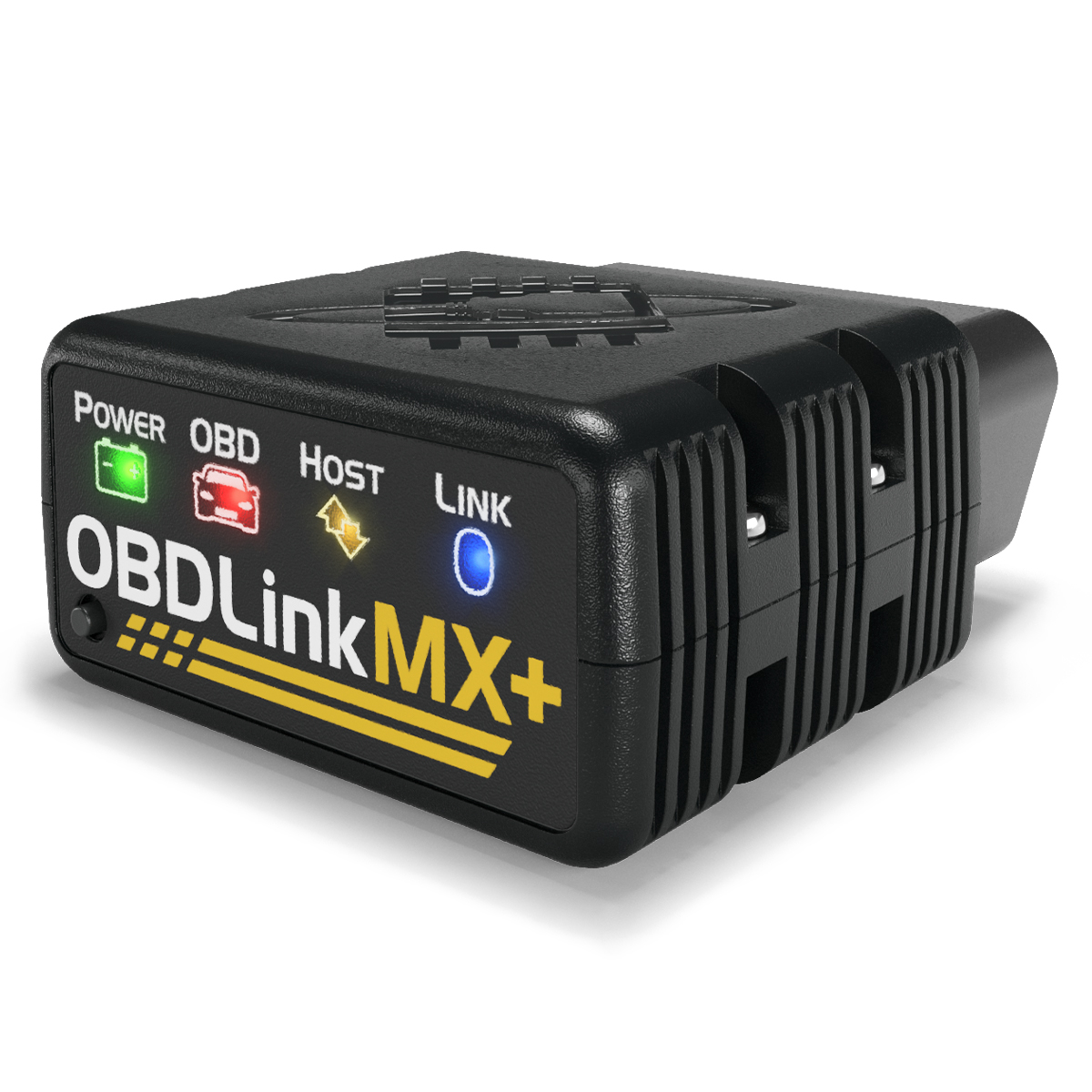
OBDLink MX+ is the most flexible option in this shortlist. The official OBDLink MX+ product page lists iOS, Android, and Windows support, Bluetooth v3.0, a physical connect button, 128-bit data encryption, all legislated OBD-II protocols, and support for advanced Ford MS-CAN and GM SW-CAN networks. It also lists a 3-year warranty, 180-day money-back guarantee, 100V overvoltage protection, and BatterySaver low-power mode at 2 mA.
The useful part is the app ecosystem. OBDLink includes its own app, but the stronger reason to choose MX+ is compatibility with vehicle-specific and enthusiast apps such as FORScan, BimmerCode, BimmerLink, Torque, OBDFusion, and Car Scanner ELM, depending on platform and vehicle. That makes it a strong fit for a multi-vehicle household or a driver who already knows the software they want to use.
The caution is that flexibility shifts responsibility to the buyer. The adapter may be capable, but the final result depends on app support, your phone, your vehicle, and whether the app has the exact module coverage you need. Buy OBDLink MX+ when you are willing to verify the app-vehicle combination before checkout.
BlueDriver Pro: choose it for guided diagnostics
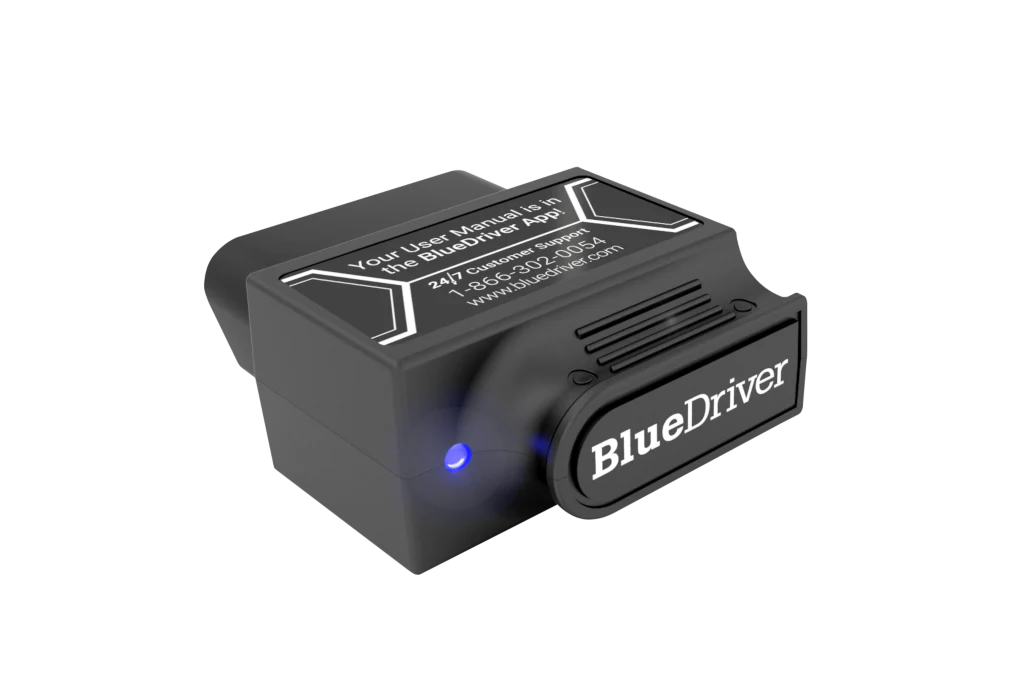
BlueDriver Pro is the simpler route for many owners because it is sold as a scanner plus app experience rather than an open adapter. The official BlueDriver product page lists iOS and Android support, no subscription fees or add-ons, smog check, freeze frame, repair reports, read and clear codes, live data, Mode 6, and enhanced diagnostics for many major makes. The same page says BlueDriver works with 1996 and newer North American gas vehicles and supports major OBD2 protocols.
The core feature is repair context. BlueDriver's product page says its Repair Reports explain possible causes, reported fixes, and related information for each diagnostic trouble code. For a driveway DIYer who wants to understand the next step instead of building custom dashboards, that guidance may matter more than raw data speed.
The tradeoff is the closed ecosystem. BlueDriver is built around the BlueDriver app. That can be good if you want fewer decisions and no extra app shopping. It is limiting if you need FORScan for Ford work, BimmerCode for BMW coding, or custom third-party dashboard apps. Choose BlueDriver when you want a guided diagnostic flow and you are not trying to build a specialist app stack.
Autel AP200: choose it for service resets on a known vehicle
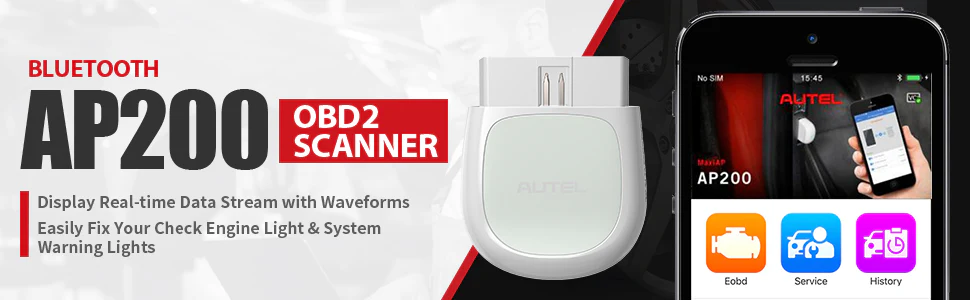
Autel AP200 is the scanner to consider when service functions matter more than app openness. The official Autel AP200 product page describes it as a smartphone all-system scan tool with a Bluetooth adapter and MaxiAP200 app. It lists free OBDII functions, one free vehicle software package with initial purchase, up to 19 specific functions, AutoVIN, report generation, history records, and 14 languages.
Autelonline's AP200 retailer page adds useful commercial detail: it described the AP200 as supporting Oil, EPB, BMS, TPMS, SAS, DPF, and IMMO service functions, and said additional vehicle model coverage cost $21.99 for a 12-month permission when checked. Treat that as a pricing and software snapshot, not a permanent policy, because app stores and regional Autel channels can change terms.
The appeal is obvious if you have one known car and want more than generic code reading. The risk is also obvious: AP200 can look cheaper at the hardware level, then become less simple if you need multiple makes or ongoing software access. Choose it only after checking your exact make, model, year, service-function need, and app terms.
Feature tradeoffs that matter more than the spec sheet
Diagnostic depth is the first filter. If you only need to read and clear a check engine light, many scanners can help. If your ABS, airbag, transmission, TPMS, or body module light is involved, generic OBD2 coverage is not enough. BlueDriver lists enhanced diagnostics for many brands, OBDLink MX+ relies heavily on app support and enhanced protocols, and Autel AP200 uses vehicle-specific software coverage.
App model is the second filter. BlueDriver is easiest when you want one supported app. OBDLink MX+ is strongest when you want to choose specialist apps. Autel AP200 sits between those worlds: it has a dedicated app, but coverage can depend on vehicle software packages.
Total cost is the third filter. The cheapest checkout price is not always the cheapest ownership path. OBDLink MX+ costs more up front on its official page, but avoids vehicle-package fees and works with many apps, some paid and some free. BlueDriver's official page emphasizes no subscription fees or add-ons. Autel AP200 may be economical for one vehicle, but extra make coverage can change the math.
Which scanner should you choose by job?
Choose OBDLink MX+ if you want live data, custom dashboards, third-party apps, or Ford and GM network flexibility. It is also the better fit if you already know you need FORScan, BimmerCode, Torque, or another vehicle-specific app that supports the adapter.
Choose BlueDriver Pro if you want the simplest consumer diagnostic experience. It fits a driver who wants to scan a code, see a repair report, understand possible fixes, and avoid a pile of app choices. It is weaker for vehicle coding, app experimentation, and specialist workflows.
Choose Autel AP200 if you are buying around service functions for a known vehicle. Oil reset, EPB, BMS, SAS, DPF, TPMS, and IMMO language is meaningful only if the exact function is supported on your car. Verify coverage first, especially if you own multiple brands.
If your job involves bidirectional controls, advanced key programming, professional shop diagnostics, or deep module work across many makes, skip this category and look at a higher-tier scan tool. Bluetooth dongles are convenient, but they are not a substitute for every professional diagnostic function.
Buying checks before you order
Check your vehicle first. Record the year, make, model, engine, country market, and whether the car is gasoline, diesel, hybrid, or EV. Then verify scanner coverage on the brand's compatibility page or support channel before you buy.
Check your phone second. OBDLink MX+ lists iOS, Android, and Windows. BlueDriver lists Android and iOS. Autel AP200 uses the MaxiAP200 app. A scanner that works on your current phone may be less convenient if you switch platforms later.
Check the return window third. Install the app, scan the car, read live data, check every warning light you care about, and confirm whether repair reports or service resets actually work before the return period ends. Do not wait until the next breakdown.
For more Premerinn context, use the Top Picks hub for shortlist-style buying decisions, the Comparisons hub for head-to-head articles, the Guides hub for diagnostic buying checks, and the Reviews hub as brand-level coverage expands.
FAQ
Which Bluetooth OBD2 scanner is better for beginners?
BlueDriver Pro is the cleaner beginner path if you want one app, guided repair reports, and no separate software decisions. OBDLink MX+ can do more in the right app ecosystem, but beginners may need more setup time to understand which app matches their vehicle.
Can these scanners read ABS and airbag codes?
Sometimes, but not universally. BlueDriver lists enhanced diagnostics for many brands. OBDLink MX+ can reach deeper data when paired with supported apps and vehicles. Autel AP200 depends on vehicle software coverage. Always verify your exact car before assuming ABS, SRS, transmission, or TPMS access.
Do Bluetooth OBD2 scanners work on every car after 1996?
They generally target many OBD2-compliant vehicles, but generic OBD2 is not the same as full-system support. The CARB OBD II fact sheet supports the 1996-plus baseline for U.S. gasoline passenger cars and trucks, but enhanced diagnostics vary by scanner, vehicle, region, and app.
Is Autel AP200 cheaper than BlueDriver or OBDLink MX+?
It can be cheaper at checkout, depending on the seller and current promotion. The ownership cost depends on how many vehicle software packages you need. If you only maintain one supported vehicle, AP200 may make sense. If you cover several makes, compare software costs carefully.
Can I leave a Bluetooth OBD2 scanner plugged in?
Only if the manufacturer documents low-power behavior and you are comfortable monitoring battery health. OBDLink publishes low-power and BatterySaver details for MX+. For any scanner, remove it before emissions testing, long airport parking, storage, or a period when the car will not be driven.
Final verdict
The purchase logic is job first, scanner second. OBDLink MX+ is the flexible adapter for live data and third-party apps. BlueDriver Pro is the guided scanner for owners who want repair context in one app. Autel AP200 is the service-reset option to check when you know the exact vehicle and function you need.
Do not buy any Bluetooth OBD2 scanner from the spec sheet alone. Verify your vehicle, the app, the system you need to scan, and the return policy. A $90 scanner that answers the right diagnostic question is cheaper than a $60 scanner that sends you back to the parts store.
Reference Sources
- OBDLink MX+ official product page
- BlueDriver Pro official product page
- Autel AP200 official product page
- Autelonline AP200 retailer page used for price and software-cost snapshot
- OBDadvisor 2026 Bluetooth OBD2 scanner guide
- California Air Resources Board OBD II fact sheet
Title Candidates
- 3 Bluetooth OBD2 Scanners for DIY Repairs: When to Choose OBDLink MX+, BlueDriver, or Autel AP200
- Before You Buy a Bluetooth OBD2 Scanner: 3 Ways to Match the Tool to the Repair
- OBDLink MX+, BlueDriver, or Autel AP200? A Practical DIY Scanner Shortlist
- The Bluetooth OBD2 Scanner Choice Most Drivers Get Backward
- From Check Engine Light to Service Reset: 3 OBD2 Scanner Paths Compared