
OBDLink MX+ vs BlueDriver: 7 Practical Differences Before You Buy a Bluetooth OBD2 Scanner in 2026
A check engine light can turn a normal drive into a guessing game. One Bluetooth scanner may tell you only the generic engine code. Another may guide you toward likely causes. A third may unlock better data only after you choose the right app for your exact vehicle. That is why the OBDLink MX+ vs BlueDriver decision should not start with which scanner looks more powerful on a spec sheet.
The practical split is simple: OBDLink MX+ is the flexible adapter for people willing to verify apps and vehicle coverage. BlueDriver Pro is the guided scanner for people who want one app, repair reports, and fewer software decisions. Both can be useful. The wrong one is the one that does not match the car, system, and repair job in front of you.
Scope note: Premerinn has not performed first-hand bench testing on these scanners. This comparison is based on official product pages checked on April 30, 2026, official app compatibility information, public OBD II guidance, and independent editorial scanner coverage. See our editorial policy and about page for how we separate source-backed analysis from merchant claims. If commerce links are added by the publishing system, our disclosure is here: affiliate disclosure.
OBDLink MX+ vs BlueDriver: the short answer
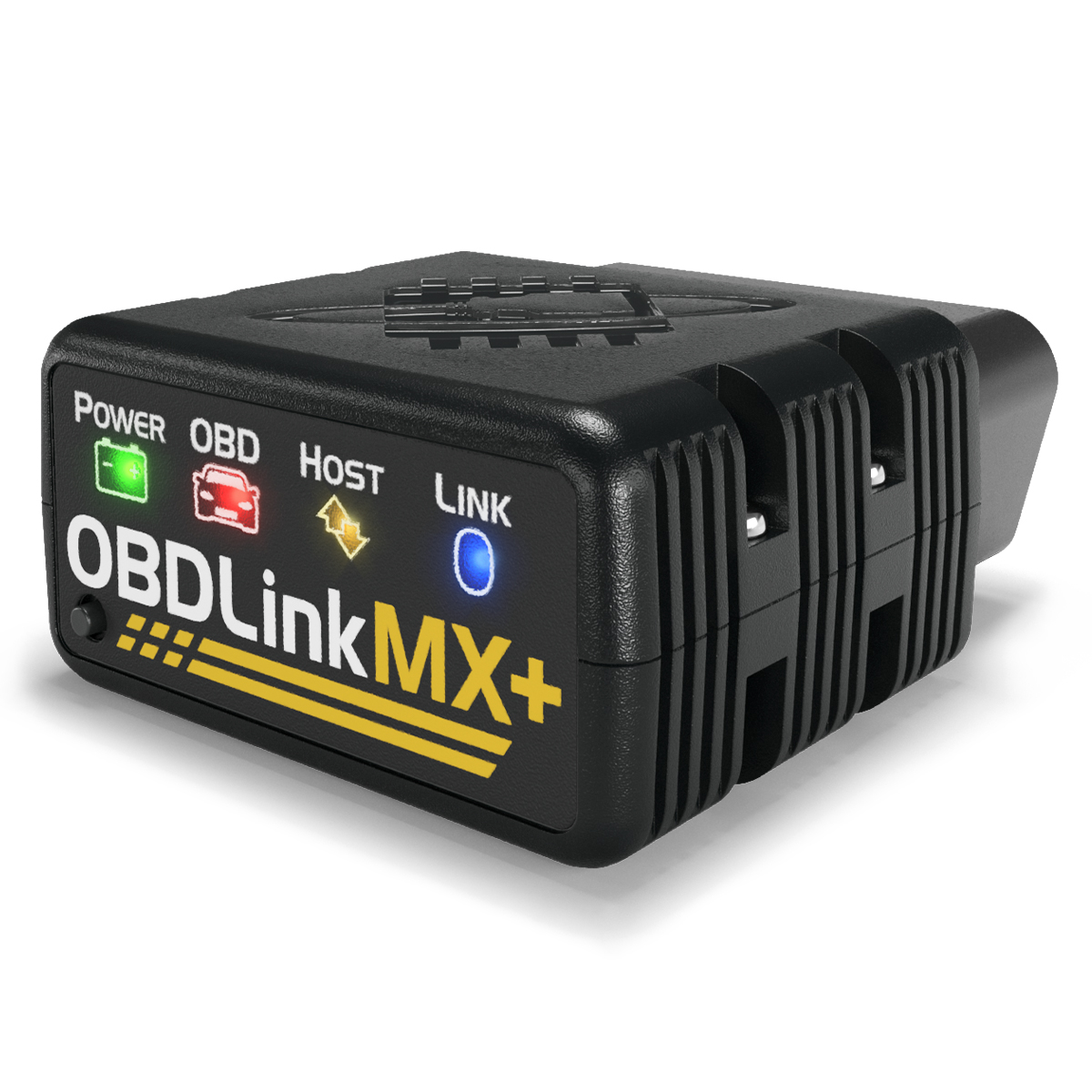
Choose OBDLink MX+ if you want a Bluetooth OBD2 adapter that can work across multiple apps. The official OBDLink MX+ product page lists iOS, Android, and Windows support, all legislated OBD-II protocols, advanced Ford MS-CAN and GM SW-CAN networks, third-party app support, free firmware updates, a 3-year warranty, and BatterySaver low-power mode. It showed a $139.95 price when checked on April 30, 2026.
Choose BlueDriver Pro if you want a more guided scanner-and-app experience. The official BlueDriver product page listed a $89.95 sale price, iOS and Android support, repair reports, freeze frame, smog check, read and clear codes, live data, Mode 6, enhanced diagnostics for supported vehicles, 24/7 support, free returns, and no subscriptions or add-ons.
| Decision point | OBDLink MX+ | BlueDriver Pro |
|---|---|---|
| Better fit | Flexible app users, Ford and GM owners, data-focused DIYers | Drivers who want guided diagnostics and repair reports |
| Official price checked April 30, 2026 | $139.95 | $89.95 sale price, down from $119.95 |
| Phone and computer support | iOS, Android, Windows | iOS and Android |
| App model | OBDLink app plus many third-party apps | BlueDriver app only |
| Enhanced diagnostics path | Depends on vehicle, network, and app support | Built into the BlueDriver app for supported vehicles |
| Notable hardware/software angle | MS-CAN, SW-CAN, BatterySaver low-power mode | Repair Reports, no subscriptions or add-ons listed |
| Main risk | More setup decisions before you get the right workflow | Less open if you need specialist apps |
Product research links: check OBDLink MX+ details and check BlueDriver Pro details.
Difference 1: OBD2 compatibility is only the baseline
OBD2 compatibility does not mean a scanner can read every system on every car. The California Air Resources Board explains that 1996 and newer gasoline and alternate-fuel passenger cars and trucks are required to have OBD II systems, while 1997 and newer diesel passenger cars and trucks also fall under OBD II requirements. That baseline helps with generic emissions-related diagnostics, but it does not guarantee access to ABS, airbag, transmission, TPMS, body control, or manufacturer-specific data.
That distinction matters for this comparison. BlueDriver says it can read and clear check engine codes and enhanced codes such as ABS, airbag, and transmission on supported vehicles. OBDLink MX+ lists all legislated OBD-II protocols plus Ford MS-CAN and GM SW-CAN, but the final diagnostic depth depends heavily on the app you pair with it. If you only need generic check-engine codes, either can fit. If you need a specific module, verify coverage before buying.
Difference 2: OBDLink MX+ is an adapter platform, not just a scanner
The main reason to choose OBDLink MX+ is not that it has a longer product page. It is that it leaves more room to build the workflow around your vehicle. OBDLink lists support for third-party apps, and its compatible apps page names options such as FORScan Lite, Torque, Bimmercode, AlfaOBD, Carista, OBD Fusion, Hybrid Assistant, JScan, Dr. Prius, and OBD Auto Doctor, with app support varying by platform and scanner.
That flexibility is useful when you already know the software you need. A Ford or Mazda owner researching FORScan has a different buying problem from someone who only wants a simple code definition. A BMW owner looking at Bimmercode or BimmerLink has a different problem again. OBDLink MX+ is strongest when you are willing to verify the app, phone platform, vehicle year, and exact feature before checkout.
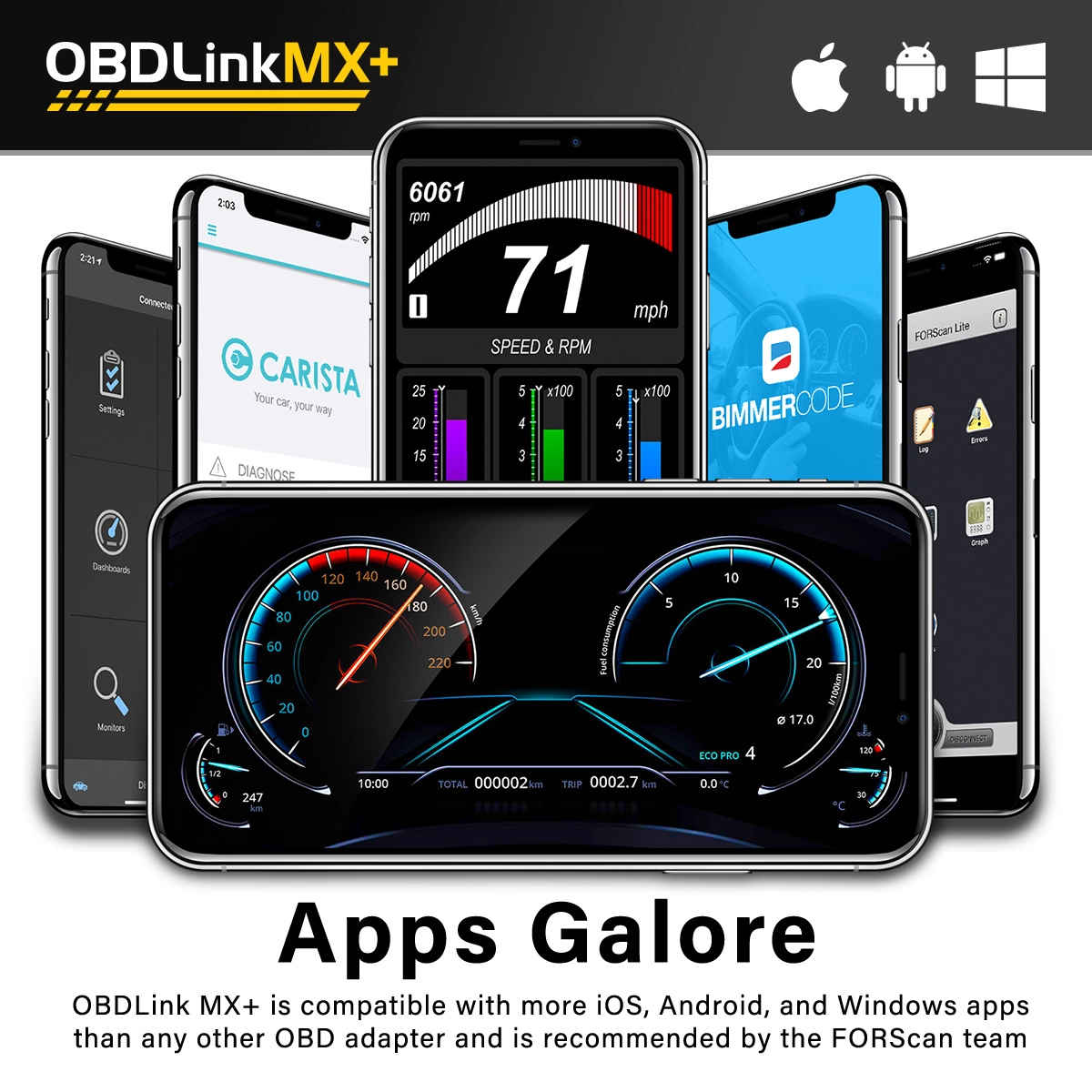
The tradeoff is friction. A flexible adapter asks more of the buyer. You may need to choose the right app, pay separately for that app, read a compatibility list, or test during the return window. OBDLink MX+ is not the low-effort route if you want the scanner to decide the workflow for you.
Difference 3: BlueDriver is the simpler guided route
BlueDriver Pro is built around the BlueDriver app. Its official page emphasizes repair reports, possible causes, reported fixes, live data, Mode 6, smog check, and enhanced diagnostics for many major makes. For a driver who wants to understand a code without assembling an app stack, that matters.
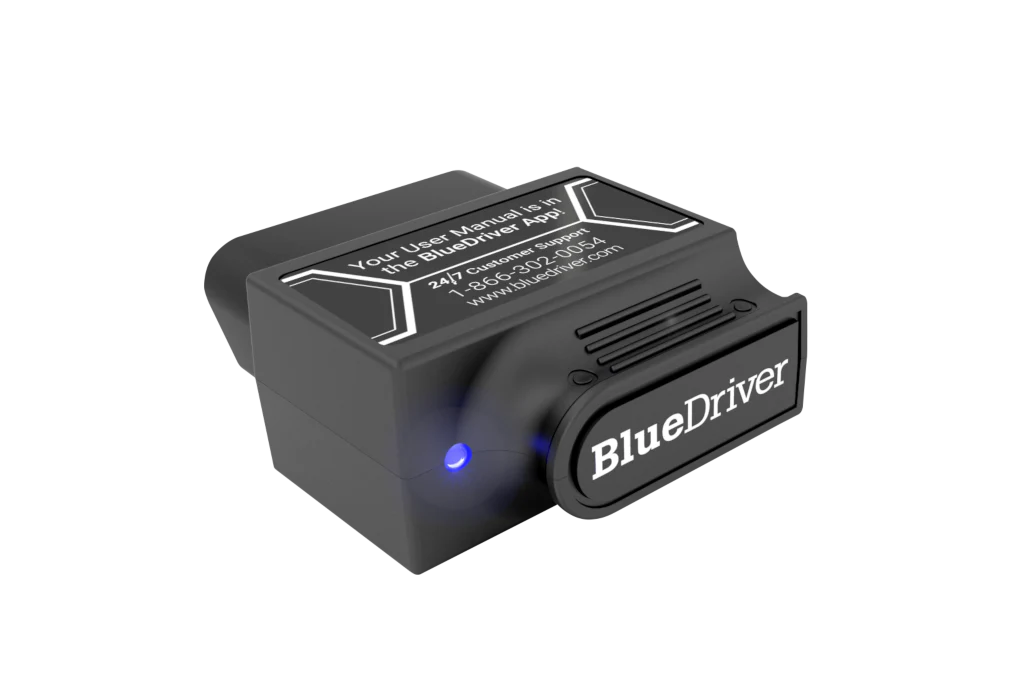
The repair-report angle is the clearest difference. BlueDriver says each diagnostic trouble code can generate a report with possible causes, reported fixes, and related information. That can help a DIY owner decide whether to inspect a gas cap, chase a sensor, pause before buying parts, or take the car to a shop. It does not replace diagnosis, but it can reduce the first layer of confusion.
The tradeoff is openness. BlueDriver is not the scanner to buy if your real goal is FORScan, Bimmercode, AlfaOBD, or a custom dashboard app. The closed app model is useful when you want simplicity. It is limiting when you want specialist software.
Difference 4: live data needs context, not just a graph
Both scanners can show live data, but live data only helps when it is the right data. Engine RPM, coolant temperature, fuel trims, and oxygen sensor values can be useful for many basic checks. Transmission temperature, manufacturer-specific parameters, wheel-speed data, or hybrid battery values may require enhanced access through the right app and vehicle support.
OBDLink MX+ has the stronger case for data-focused users because it can pair with specialist apps and supports Ford and GM vehicle networks listed by OBDLink. OBDadvisor's OBDLink MX+ vs. BlueDriver comparison reaches a similar split: OBDLink is framed as stronger for app flexibility and certain enhanced data paths, while BlueDriver is framed as stronger for guided repair context.
BlueDriver is still enough for many owners. If the job is to read a code, review freeze-frame data, check readiness before emissions testing, and understand likely fixes, a guided app can be more useful than a dashboard full of unsupported parameters. Do not pay for flexibility unless you will actually use it.
Difference 5: software cost is part of the real price
At first glance, BlueDriver looks cheaper in the official price snapshot checked for this article. That does not automatically make it the better value. It means the purchase model is simpler: one scanner, one app, and the official page's no subscriptions or add-ons claim.
OBDLink MX+ costs more on the official page, but the hardware can serve more workflows if your vehicle and app choices line up. Some compatible apps are free or low cost. Some are paid. Some are useful only for specific makes. The right way to compare cost is not scanner price alone; it is scanner price plus the app you need plus the time required to verify compatibility.
Warranty also differs. OBDLink lists a 180-day money-back guarantee and 3-year warranty. BlueDriver's page lists free returns, 24/7 support, and a 1-year limited warranty. Return-window testing matters for both. A scanner that fails your exact car is not a bargain at any price.
Difference 6: choose by job, not by brand loyalty
If you are a Ford, Lincoln, Mercury, Mazda, GM, or specialist-app user, start with OBDLink MX+. The Ford and GM network support and third-party app ecosystem are the reasons to pay attention. This does not mean automatic compatibility. It means OBDLink gives you a better path to verify the specific toolchain.
If you are a commuter, used-car buyer, or beginner DIYer who wants code context in one app, start with BlueDriver. Repair Reports, enhanced-code messaging, smog check, freeze frame, and live data are easier to explain to a non-specialist than app-by-app compatibility charts.
If you own several vehicles from different makes, the decision gets harder. OBDLink MX+ may be more adaptable across app ecosystems. BlueDriver may be easier for household members who only want a clean scan and report. The practical answer may be the scanner that the least technical person in the garage can use correctly.
Difference 7: the compatibility check is the buying step
Before buying either scanner, write down your vehicle year, make, model, engine, market, and the exact system you want to inspect. Generic check-engine-light reading is one job. ABS, airbag, transmission, TPMS, diesel DPF, hybrid battery, coding, and service reset work are different jobs.
Then check the official product page, app compatibility page, and support resources. If you are choosing OBDLink MX+, verify the third-party app first. If you are choosing BlueDriver, use its compatibility resources and confirm that the enhanced systems you care about are supported. Keep packaging until the scanner has worked on your actual car.
For broader context, read our Bluetooth OBD2 scanners for DIY repairs, browse the automotive comparisons hub, and use the OBDLink and BlueDriver coverage hubs as this scanner cluster expands.
Verdict: which one should you buy?
Buy OBDLink MX+ if you want control. It is the better fit for app-driven diagnostics, Ford or GM network access, custom dashboards, and owners who are comfortable verifying software before they buy. The payoff is flexibility. The cost is more setup work.
Buy BlueDriver Pro if you want guidance. It is the better fit for owners who want one app, repair reports, enhanced diagnostics on supported vehicles, and simple pricing. The payoff is ease. The cost is less freedom outside the BlueDriver app.
The disciplined move is to define the repair job first. A scanner is not useful because it has the longest feature list. It is useful when it answers the right diagnostic question on the car you actually own.
FAQ
Is OBDLink MX+ better than BlueDriver?
OBDLink MX+ is better if you want third-party app flexibility, Ford or GM network support, or specialist workflows such as FORScan, Bimmercode, Torque, or OBD Fusion. BlueDriver is better if you want one app, guided repair reports, and fewer software choices. The right answer depends on your vehicle and repair job.
Does BlueDriver require a subscription?
The official BlueDriver product page says there are no subscription fees or add-ons. That is one of BlueDriver's main advantages over tools that depend on paid vehicle packages or separate app purchases. Because app and commerce policies can change, verify the current page before buying.
Does OBDLink MX+ work with iPhone?
Yes. OBDLink's official MX+ product page lists iOS, Android, and Windows support. Its compatible-apps page also says only OBDLink MX+ and CX currently support iOS among the listed OBDLink tools. App support still varies, so check the specific app you plan to use.
Which scanner is better for Ford vehicles?
OBDLink MX+ is usually the scanner to check first for Ford-focused DIY diagnostics because OBDLink lists Ford MS-CAN support and FORScan Lite compatibility. That does not replace verification. Confirm your exact year, model, module, phone platform, and FORScan support before purchase.
Can either scanner read ABS and airbag codes?
BlueDriver lists enhanced codes such as ABS, airbag, and transmission for supported vehicles. OBDLink MX+ can reach enhanced systems through supported apps and vehicle networks. Neither scanner should be treated as guaranteed for every make and year. Enhanced diagnostics are always a compatibility-check item.