
OBD2 Scanner Compatibility Guide: 11 Checks Before You Buy for Service Resets, ABS Codes, and App Support
A scanner can fit the OBD2 port and still be wrong for the repair. That is the trap this OBD2 scanner compatibility guide is meant to prevent. The port only proves that the hardware can connect. It does not prove that the app can read your ABS module, reset an electronic parking brake, register a battery, show useful live data, or support your phone after the next app update.
The practical rule is simple: define the job before choosing the scanner. A check engine light, an airbag light, a smog readiness check, a Ford live-data workflow, and an oil service reset are five different buying problems. If you verify the vehicle, system, app, and software model before checkout, a modest Bluetooth scanner can be useful. If you skip that work, even a well-reviewed scanner can feel broken.
Scope note: Premerinn has not performed first-hand bench testing for this guide. This article is based on official product pages, support documentation, CARB OBD II guidance, retailer pages checked on April 30, 2026, and independent scanner coverage. See our editorial policy and about page for how we separate source-backed analysis from merchant claims. If commerce links are added by the publishing system, our disclosure is here: affiliate disclosure.
OBD2 scanner compatibility guide: quick decision map
Use this map before you compare prices. The right scanner is the one that covers the system you need on the vehicle you own, not the one with the longest feature list.
| If your job is... | Compatibility check to run first | Scanner style to research |
|---|---|---|
| Read and clear a check engine light | Confirm generic OBD2 support for your market and model year | Basic code reader or Bluetooth scanner |
| Check smog readiness | Confirm I/M readiness and monitor status support | BlueDriver, OBDLink app, or similar diagnostic app |
| Read ABS, SRS, transmission, or TPMS codes | Confirm enhanced diagnostics for exact make, model, year, and module | Full-system scanner or supported enhanced app |
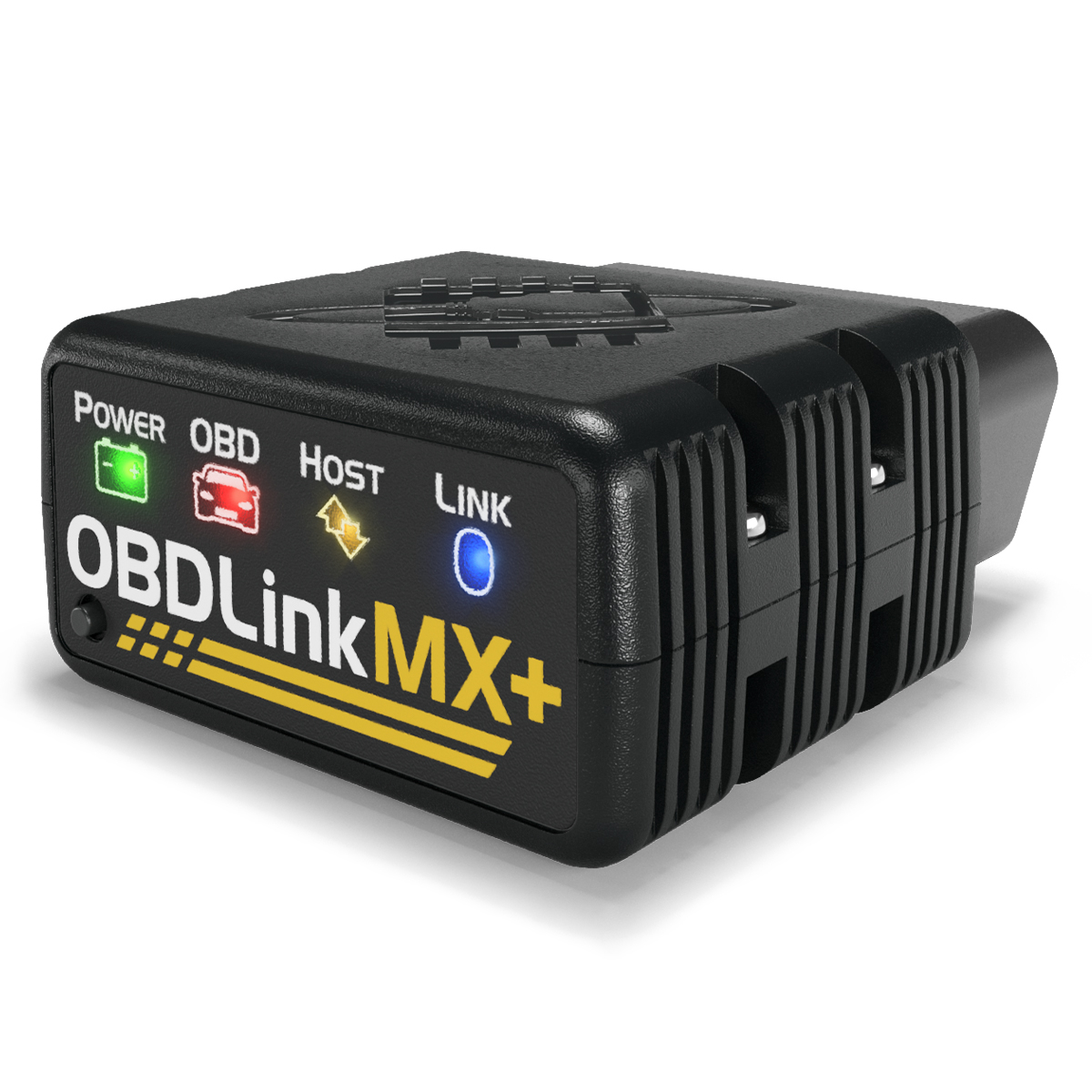
| Use FORScan, BimmerCode, Torque, or OBDFusion | Confirm third-party app support before buying hardware | OBDLink MX+ style adapter |
| Get guided repair reports | Confirm repair-report support for your vehicle | BlueDriver style scanner-and-app bundle |
| Do oil, EPB, BMS, SAS, DPF, or TPMS resets | Confirm service function coverage and software package terms | Autel AP200 style service-reset scanner |
If you are still comparing tools broadly, start with our Bluetooth OBD2 scanner shortlist. If your decision is specifically OBDLink MX+ vs BlueDriver, use the head-to-head comparison before you buy.
Check 1: separate generic OBD2 from enhanced diagnostics
The California Air Resources Board OBD II fact sheet is a useful baseline because it explains what OBD II was designed to do: monitor emissions-related components and store information that helps technicians diagnose faults. CARB says 1996 and newer gasoline and alternate-fuel passenger cars and trucks are required to have OBD II systems, and 1997 and newer diesel passenger cars and trucks are also covered.
That baseline matters, but it is not the same as full vehicle access. Generic OBD2 coverage usually gets you emissions-related powertrain data. Enhanced diagnostics are different. OBDLink support explains that manufacturer-specific DTCs and PIDs require enhanced diagnostics, and that a vehicle may support only a subset of modules listed for a brand.
This is why the phrase works with 1996 and newer vehicles can be technically true and still incomplete. It may mean the scanner can read generic engine codes. It does not guarantee ABS, airbag, body control, parking brake, battery registration, or steering angle functions.
Check 2: match the warning light to the scanner depth
Before buying, write down the warning light or maintenance job in plain English. Check engine light, ABS light, airbag light, TPMS warning, battery replacement, electronic parking brake service, and diesel particulate filter regeneration all point to different coverage needs.
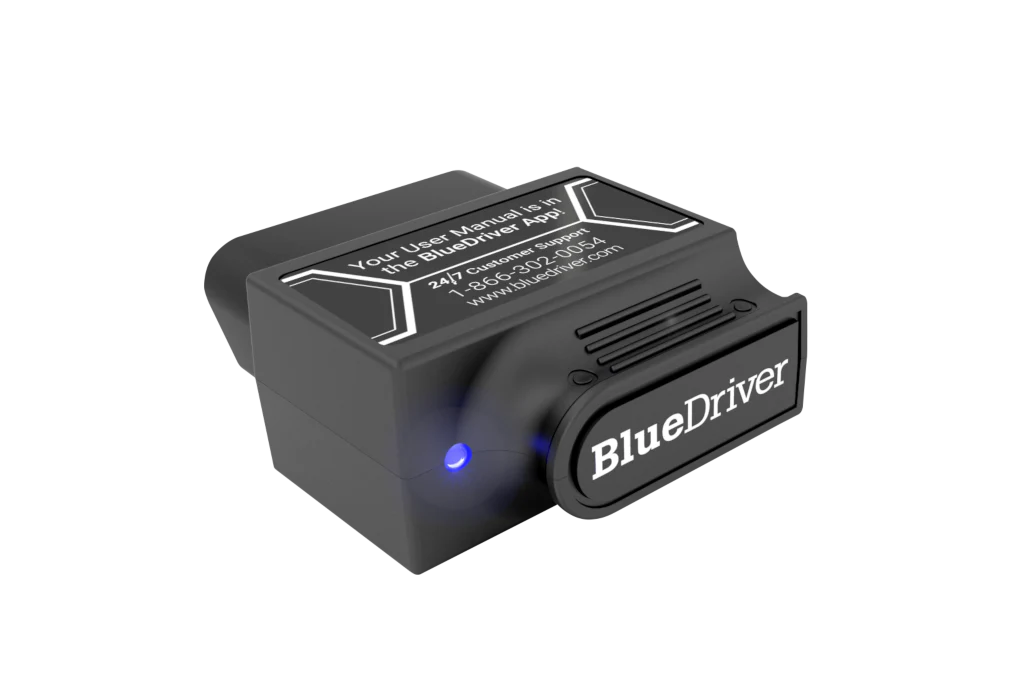
BlueDriver states that it can read and clear check engine codes plus enhanced codes such as ABS, airbag, and transmission for supported vehicles. Its official page also lists repair reports, freeze frame, smog check, live data, and Mode 6. That makes it a good fit when the reader wants guided diagnostics and a single app.
The limitation is still vehicle coverage. BlueDriver lists supported makes for enhanced diagnostics and warns that enhanced diagnostics may not yet be offered on every vehicle. Treat that warning seriously. If your whole purchase depends on reading an SRS code on one car, check compatibility before the scanner ships.
Check 3: choose the app ecosystem before choosing the dongle
The app is not an accessory. With Bluetooth scanners, the app often decides what the hardware can actually do. BlueDriver is a closed scanner-and-app workflow. OBDLink MX+ is more of an adapter platform that can work with the OBDLink app and many third-party apps.
The official OBDLink MX+ page lists iOS, Android, and Windows support, all legislated OBD-II protocols, Ford MS-CAN and GM SW-CAN networks, free firmware updates, a three-year warranty, and BatterySaver low-power mode. It also lists third-party app support. OBDAdvisor describes third-party app flexibility as the reason an OBDLink-style adapter can make more sense for users who want FORScan, BimmerCode, Torque Pro, OBDFusion, or similar workflows.
That flexibility has a cost: you must know which app matches your vehicle and job. For a Ford owner using FORScan, OBDLink MX+ may be the more logical path. For a driver who wants one app to explain a code and possible fixes, BlueDriver may be less work.
Check 4: treat service resets as a separate category
Service resets are where many buyers over-read product pages. A scanner that can read codes is not automatically a service tool. Oil reset, EPB, BMS, SAS, DPF, TPMS, and IMMO functions may require vehicle-specific software, active procedures, and a supported model year.
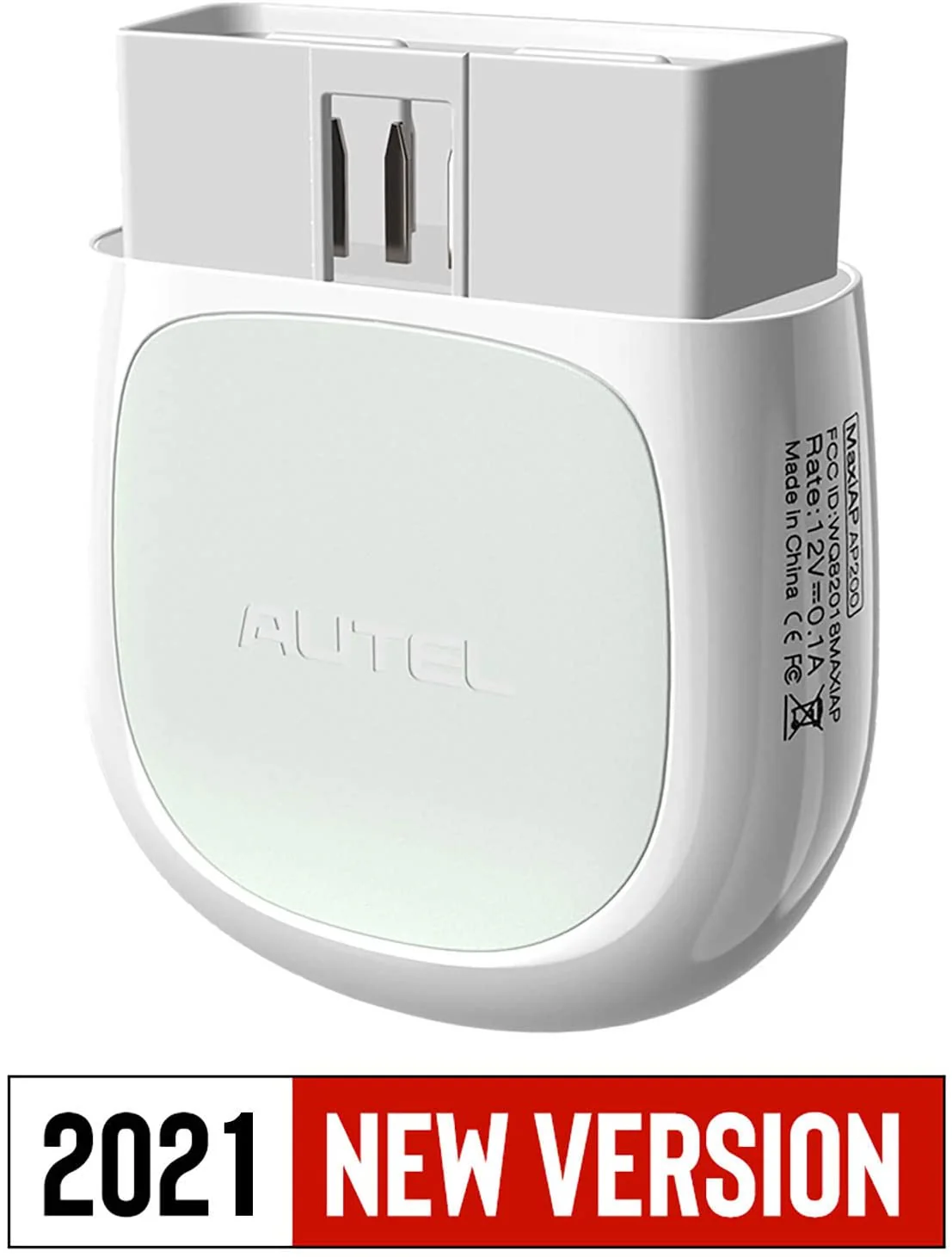
Autel says the MaxiAP AP200 includes all OBDII functions for free, one free vehicle software package with initial purchase, support for up to 19 specific functions including Oil Reset, EPB, BMS, SAS, DPF, TPMS, and IMMO, and additional in-app purchase for expanded coverage. Autelonline listed AP200 at $80.00 when checked on April 30, 2026 and described extra vehicle software as a paid 12-month permission.
That makes AP200 attractive for a one-car owner who knows the exact reset job. It becomes less simple for a family with several makes. The scanner price is only part of the cost; software packages and coverage limits are part of the purchase too. For more detail, read our Autel AP200 review and the Autel brand hub.
Check 5: verify make, model, year, engine, and market
Do not stop at make and model. Compatibility tables often split by model year, engine, trim, region, and whether the vehicle was sold in North America, Europe, or another market. A 2014 gasoline model and a 2016 diesel model can expose different modules.
Build a simple note before buying: year, make, model, trim, engine, country market, fuel type, warning light, service function, phone platform, and the page or support reply used to verify coverage. If the seller has a compatibility checker, use it. If the answer is vague, contact support before purchase and save the response until the return window closes.
Check 6: check phone support and setup friction
A phone-based scanner inherits phone problems. Confirm iOS or Android support, current app availability, Bluetooth requirements, login requirements, and whether Android pairing needs location permission. BlueDriver lists iOS and Android support. OBDLink MX+ lists iOS, Android, and Windows. Autel AP200 uses the MaxiAP200 app on Android or iOS devices.
Setup friction matters most when the car is already apart. If you bought a scanner for EPB reset before a brake job, pair it and scan the car before removing wheels. If you bought it for battery registration, confirm the function before disconnecting the old battery.
Check 7: price the full ownership model
Use price snapshots only as a starting point. OBDLink MX+ showed $139.95 on the official page when checked for this article. BlueDriver showed $89.95 sale pricing from $119.95 on its official page. Autelonline showed AP200 at $80.00. These are dated snapshots from April 30, 2026 and can change by promotion, seller, region, and stock status.
The ownership model is more important than the shelf price. Ask whether the app is included, whether enhanced diagnostics are included for your brand, whether resets require a vehicle software package, whether updates are time-limited, and whether the return window is long enough to test the exact vehicle.
Check 8: do not treat repair reports as active service functions
Repair reports and active service functions solve different problems. A repair report helps interpret a diagnostic trouble code and decide what to inspect next. An active service function performs or initiates a procedure such as EPB maintenance mode or battery registration.
BlueDriver is strongest when the reader wants guided code context. OBDLink MX+ is strongest when the reader wants data access and third-party app flexibility. Autel AP200 is most relevant when the reader wants service reset coverage for a known vehicle. None of those descriptions means every function works on every car.
This distinction helps avoid a common mistake: buying a guided diagnostic scanner for a reset job, or buying a service-reset scanner when the real need is simple repair guidance.
Check 9: confirm return policy before the first scan
The best compatibility check happens after the scanner is in your hand and before the return period expires. Do not put the box on a shelf for the next breakdown. Install the app, update firmware if needed, scan the car, verify the system you care about, and save a report.
If the purchase was for a service function, run the non-destructive setup path first. Confirm that the app recognizes the vehicle and shows the function. If the tool cannot see the module, or the function is absent for your model year, return it while you still can.
Check 10: decide by use case, not by feature count
Choose BlueDriver if you want a cleaner one-app diagnostic flow, repair reports, smog readiness, and fewer software decisions. It is a sensible fit for drivers who want help interpreting codes instead of building a custom app stack.
Choose OBDLink MX+ if you want third-party app flexibility, fast live-data workflows, Ford or GM network support, and Windows support. It is better suited to users who know or are willing to learn the app that matches the vehicle.
Choose Autel AP200 if your main goal is service reset coverage on one known vehicle. It is not the casual pick for every household, but it deserves a look when oil reset, EPB, BMS, SAS, DPF, TPMS, or IMMO coverage is the reason you are shopping.
Check 11: keep the scanner in the repair workflow
A scanner is a decision tool, not a diagnosis by itself. A code can point to a circuit, system, or condition, but it does not prove which part should be replaced. Use scan data with service information, visual inspection, maintenance history, and a basic understanding of the system.
This matters for cost. A scanner can help you avoid unnecessary shop visits, but it can also encourage unnecessary parts swapping if the result is over-interpreted. Use the scanner to narrow the problem, then confirm the repair path.
Internal research path
If you are building the whole OBD2 tool decision from scratch, use this order: start with the Bluetooth OBD2 scanner shortlist, then read OBDLink MX+ vs BlueDriver if your decision is app flexibility versus guided reports, and use the Autel AP200 review if service resets are the main reason you are shopping. The automotive guides hub will hold future compatibility and maintenance decision pages as this cluster expands.
FAQ
Will any OBD2 scanner work with my car?
Not for every function. Many scanners can read generic OBD2 data on 1996 and newer U.S. gasoline vehicles, but enhanced diagnostics and service resets depend on make, model, year, region, app support, and software package. Always check the exact vehicle before buying.
Can a Bluetooth OBD2 scanner read ABS and airbag codes?
Some Bluetooth scanners can read ABS and airbag codes on supported vehicles. BlueDriver lists enhanced diagnostics for many makes. OBDLink MX+ can reach enhanced data through supported apps and vehicles. Autel AP200 depends on vehicle software coverage. None should be treated as universal without a compatibility check.
What should I check before buying a service reset scanner?
Confirm the reset type, vehicle, app platform, software package, and return policy. If the job is EPB, BMS, SAS, DPF, TPMS, or oil reset, verify the function before the vehicle is apart. Service reset support is more specific than generic code reading.
Is Autel AP200 better for service resets than BlueDriver?
Autel AP200 is usually the more relevant scanner to research for service reset intent on a supported vehicle because Autel lists service functions and vehicle software packages. BlueDriver is usually stronger for guided diagnostics and repair reports. The right answer depends on the job.
Why does scanner compatibility vary by vehicle year?
OBD2 rules cover emissions-related diagnostic access, but manufacturers implement many enhanced modules and service functions differently across platforms and model years. A scanner may support one brand broadly but still miss a specific system on one model year.
Final verdict
Do not buy an OBD2 scanner because the connector fits. Buy it because the scanner, app, software package, and support documentation match the actual job. For guided code reading, research BlueDriver. For app flexibility and live data, research OBDLink MX+. For service reset work on a known vehicle, research Autel AP200 and verify the software cost.
The scanner that saves money is not always the cheapest one. It is the one that answers the right question before you replace parts, pay a shop, or take the car apart.
Reference Sources
- OBDLink MX+ official product page
- OBDLink enhanced diagnostics support article
- BlueDriver Pro official product page
- Autel MaxiAP AP200 official product page
- Autelonline AP200 retailer page used for price and software-cost snapshot
- OBDAdvisor 2026 Bluetooth OBD2 scanner guide
- California Air Resources Board OBD II fact sheet
Title Candidates
- OBD2 Scanner Compatibility Guide: 11 Checks Before You Buy for Service Resets, ABS Codes, and App Support
- Before You Buy an OBD2 Scanner: The Compatibility Checks That Prevent Wrong-Tool Purchases
- The OBD2 Scanner Compatibility Mistake: Assuming the Port Means the Function Will Work
- OBD2 Service Reset Scanner Guide: How to Check Vehicle, App, and Software Coverage First
- ABS, Airbag, and Service Reset Support: How to Choose an OBD2 Scanner That Fits Your Car