
FIXD Sensor Review: 7 Checks Before You Buy This Bluetooth OBD2 Scanner for Plain-English Car Diagnostics
A check engine light is one of the most stressful dashboard warnings precisely because it tells you nothing specific. It could be a loose gas cap, a failing oxygen sensor, a catalytic converter problem, or a misfire that worsens with every mile. That gap between the warning and the answer is exactly where FIXD positions itself: a plug-in Bluetooth sensor that translates the code into plain English and tells you whether to drive, schedule service, or pull over now.
This FIXD sensor review starts from the same place every scanner purchase should start: what does this tool actually do in the free tier, what does it cost to unlock the full feature set, and where does it fall short compared to alternative scanners? The answers matter before checkout, not after the return window closes.
Scope note: Premerinn has not performed first-hand bench testing on FIXD. This review is based on the official FIXD product page, independent editorial reviews, and source checks completed on May 4, 2026. See our editorial policy and about page for how we separate source-backed analysis from merchant claims.
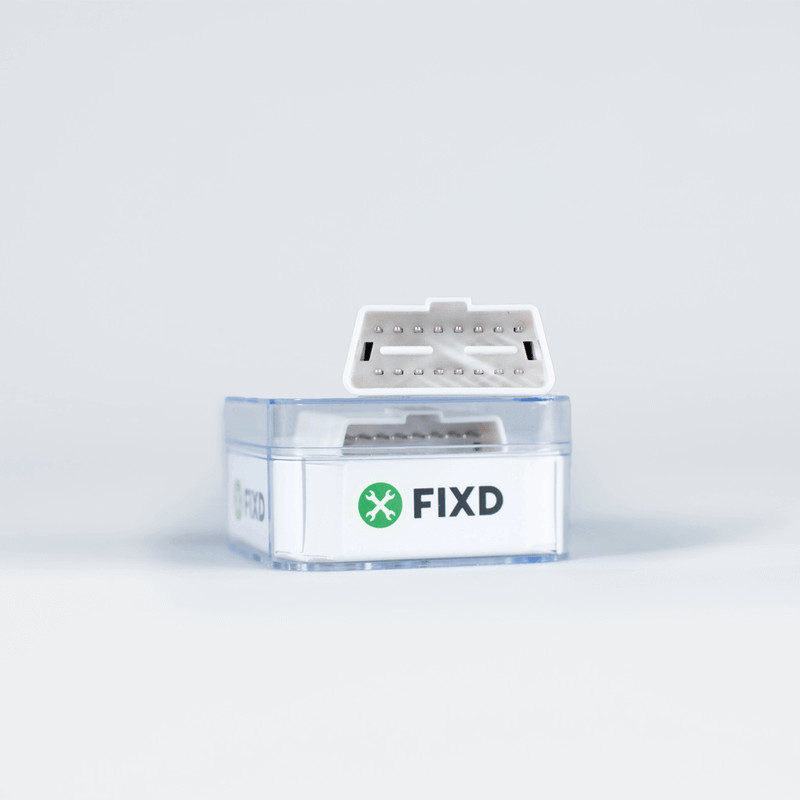
FIXD sensor review: quick verdict
FIXD makes the most sense for everyday drivers and non-mechanics who want a simple, app-driven explanation of a check engine light. The official FIXD product page listed the sensor at $59.99 for a single unit as of May 4, 2026, with free basic diagnostics included and an optional Premium subscription for deeper features such as repair cost estimates, a mechanic hotline, and emissions pre-check.
It is a weaker fit for DIY owners who need enhanced diagnostics (ABS, airbag, or transmission codes), service reset functions, or the freedom to use third-party OBD2 apps. Those jobs require a different scanner category entirely.
| Buying question | FIXD answer | Why it matters |
|---|---|---|
| Hardware price (May 4, 2026) | $59.99 single sensor | Check official page for current pricing and multi-pack deals |
| Free tier includes | 7,000+ code explanations, severity indicator, maintenance reminders | Useful without ever paying for Premium |
| Premium subscription | Optional, billed annually; 2-week free trial with purchase | Adds repair cost estimates, mechanic hotline, vehicle history |
| Compatible with | Gas vehicles 1996+; diesel 2008+ | Electric vehicles are not supported |
| Does not offer | Enhanced diagnostics, service resets, third-party apps | Critical to know before committing |
| App ratings | 4.6 stars App Store, 4.2 Google Play | Reflects beginner-friendly design |
If you are still comparing scanner types, start with the Bluetooth OBD2 scanner shortlist before reading this review in detail.
What FIXD is built to do
FIXD is a Bluetooth OBD2 sensor that plugs into the diagnostic port and pairs with a smartphone app. The official product page frames it as a car health monitor with a plain-English translation layer: when the check engine light comes on, FIXD reads the fault code and describes the problem in terms a non-mechanic can understand, with a severity indicator showing whether to keep driving, schedule a repair, or stop the vehicle.
The free tier covers the core use case. Code reading, severity assessment, maintenance reminders for oil changes and tire rotations, and multi-vehicle support are all included without a subscription. That is a useful baseline for any household with one or more vehicles.
The important distinction is that FIXD is built to reduce anxiety around warning lights, not to replace a diagnostic scan tool for deep repairs. It reads standard OBD2 engine codes. It is not described as a scanner with enhanced access to ABS, airbag, transmission, TPMS, or other non-engine modules. That distinction becomes relevant in several of the checks below.
Check 1: understand the free tier before evaluating Premium
The most common FIXD buying confusion involves the subscription model. FIXD is not a subscription-only product, but the app is built to surface Premium features prominently, which can make it seem like the free tier is thin.
The free tier includes the core diagnostic loop: plug in the sensor, open the app, read the fault code, see what it means in plain English, check severity, and get maintenance reminders. For a driver whose main concern is understanding why the check engine light is on, that is often enough.
FIXD Premium adds repair cost estimates, a mechanic hotline for on-call advice, vehicle history reports, emissions pre-check, and predictive issue forecasting. The official page listed a two-week free trial with purchase as of May 4, 2026. Premium pricing and terms should be confirmed on the current product page before deciding whether the subscription layer changes the value calculation for your specific use case.
The clean framing is this: if you only need code explanations and maintenance reminders, the free tier delivers real value. If you want cost estimates and mechanic access, Premium has a recurring cost that needs to be weighed against alternatives.
Check 2: confirm vehicle compatibility before checkout
FIXD states compatibility with gas-powered cars and trucks built after 1996, and diesel vehicles built after 2008. Electric vehicles are listed as incompatible.
The 1996 gasoline cutoff aligns with the US OBD2 mandate, which required all new passenger cars and light trucks sold domestically to support standardized OBD2 diagnostics. For most vehicles on US roads, FIXD hardware compatibility is straightforward to verify.
The limit is not the hardware connection. It is what FIXD can read through that connection. Standard OBD2 engine codes (the ones that trigger the check engine light) are accessible on all compliant vehicles. Enhanced system codes for ABS, airbag, transmission, and similar modules are not universally accessible through the standard OBD2 port using consumer apps. FIXD is not described as offering that enhanced access.
If your planned use involves enhanced diagnostics or service functions beyond engine codes, verify the current FIXD feature list on the official page before purchasing.
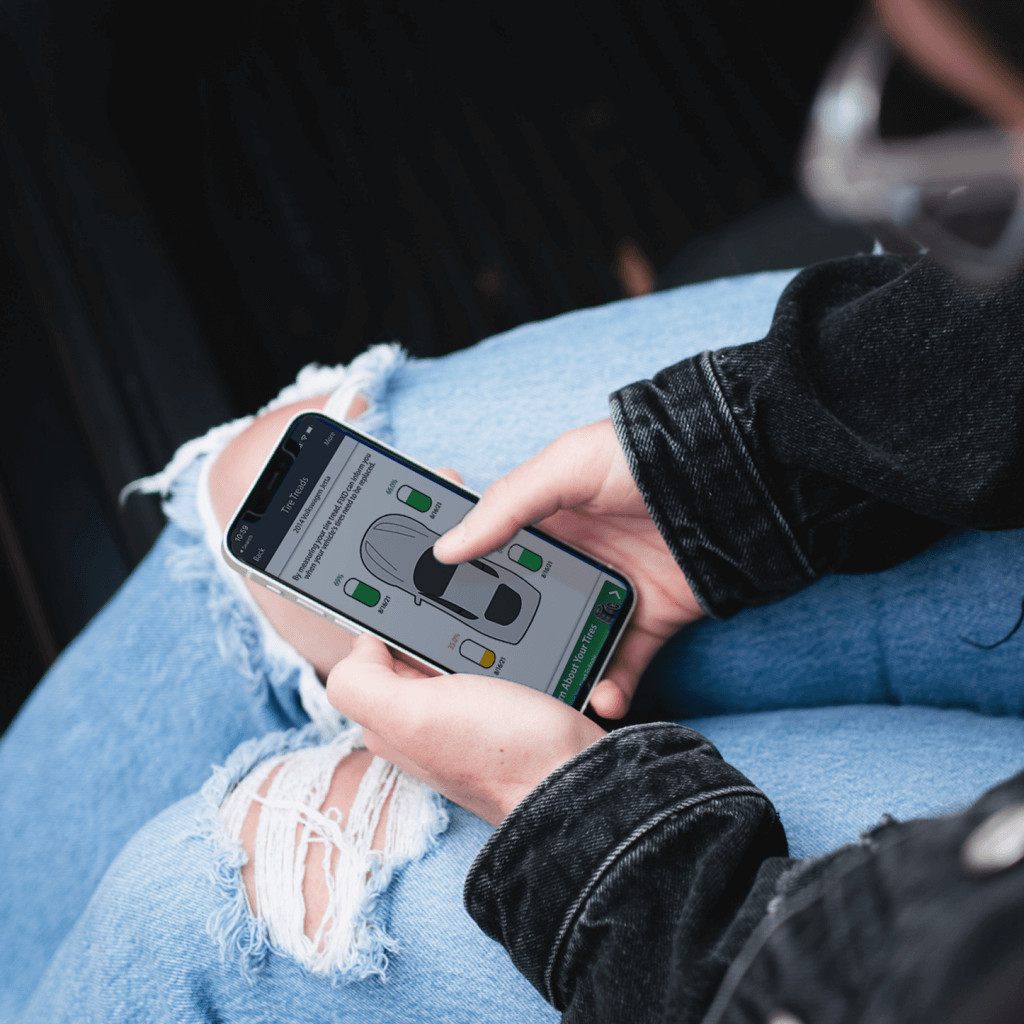
Check 3: know what FIXD does not do
Being clear about FIXD's limits saves a return trip. Based on the official product page and independent editorial reviews checked on May 4, 2026:
FIXD does not offer enhanced diagnostics for ABS, airbag, SRS, transmission, or TPMS codes. It reads standard OBD2 engine codes, not manufacturer-specific module data.
FIXD does not offer service reset functions. If the job requires an oil reset, electronic parking brake release, battery management system reset, steering angle calibration, TPMS relearn, or DPF regeneration, FIXD is not the right tool. Those functions point toward Autel AP200 or a similar scanner with service reset intent.
FIXD does not support third-party apps. It works with the FIXD app. If the goal is to use FORScan, Torque Pro, BimmerCode, OBD Fusion, or other open-adapter software, FIXD is not a fit.
FIXD does not support electric vehicles. That is a hard compatibility limit, not a software gap.
These limits are not criticisms of FIXD's design. They are the shape of the product. FIXD is a car health monitor aimed at non-mechanics, not a full-coverage diagnostic platform.
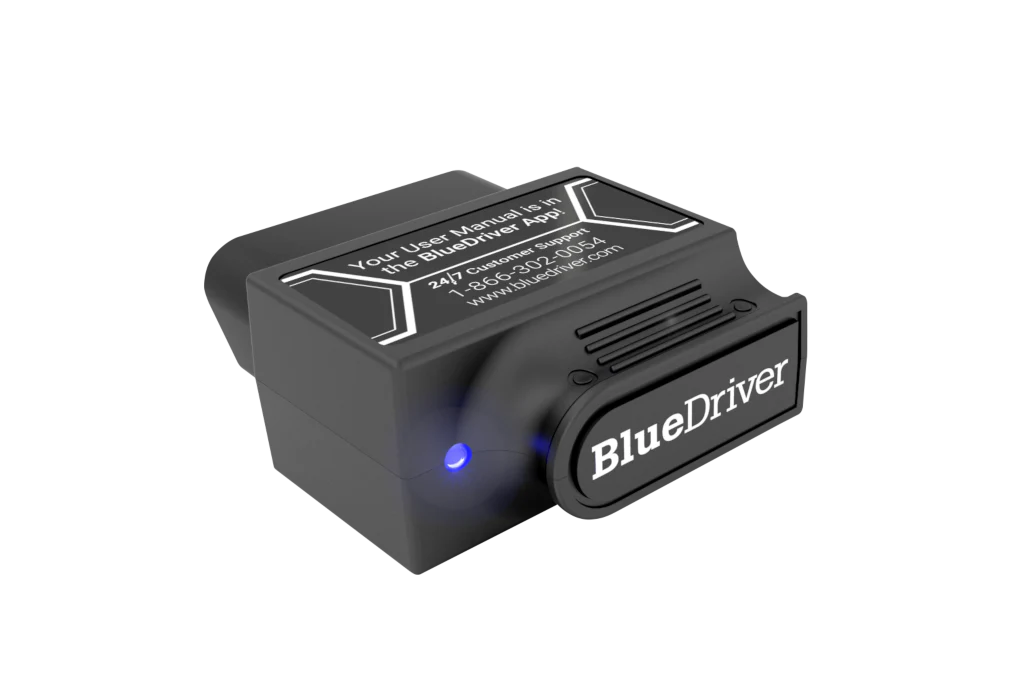
Check 4: compare FIXD and BlueDriver for everyday use
The most common comparison in this category is FIXD versus BlueDriver. Both are Bluetooth OBD2 scanners positioned for everyday drivers, and the FIXD promotional hardware price often makes it the initial comparison point.
The practical difference is diagnostic depth. BlueDriver's guided Repair Reports pull possible causes and reported fixes for each fault code from a vehicle-specific database. It also offers enhanced diagnostics (ABS, airbag, transmission, TPMS) on supported vehicles, Mode 6 data, smog readiness checks, and live data streams. The official BlueDriver Pro page showed $89.95 sale pricing in recent months.
FIXD offers plain-English explanations and severity indicators at a lower hardware entry price, with the subscription model as a separate cost consideration. For a driver who wants guided repair reports and smog readiness checks and does not mind the higher hardware price, BlueDriver is the stronger research path. For a driver who mainly wants to understand what the check engine light means and when to schedule service, FIXD's free tier may be enough.
See the FIXD vs BlueDriver comparison for a full side-by-side breakdown.
Check 5: understand the total ownership cost
The $59.99 hardware price is the starting point, not the total cost. FIXD's Premium subscription is optional but actively promoted throughout the app experience. Independent editorial reviewers noted that the app's subscription upsell is prominent, which can feel aggressive to users who only want the free tier.
If the subscription is added, the annual cost of using FIXD increases beyond the hardware price. That recurring cost needs to be compared against what Premium actually delivers for the specific driver: repair cost estimates are useful for budgeting, but the mechanic hotline and predictive forecasting may not be useful for a driver who primarily uses FIXD to check engine codes.
For a realistic cost picture, check current subscription terms directly on the FIXD product page before purchasing. Promotional pricing and trial lengths change. The OBD2 scanner deals and software cost guide covers the recurring cost landscape for this scanner category more broadly.
Check 6: evaluate FIXD for multi-vehicle households
FIXD supports multiple vehicles through a single app account, which is a genuine advantage for households with more than one car. The sensor stays plugged into one vehicle and monitors it passively; additional vehicles require additional sensors.
The multi-vehicle monitoring angle is relevant for two scenarios. First, for a household where several drivers want basic check engine light awareness on their respective cars. Second, for a driver managing an older used vehicle alongside a daily driver, where early warning of developing codes can prevent a larger repair.
Where multi-vehicle support becomes less useful is if each vehicle needs enhanced diagnostics or service resets. Those functions require a scanner with deeper coverage, and multi-vehicle monitoring through the FIXD free tier is only as useful as the depth of information it returns.
Check 7: set up FIXD before you actually need it
A diagnostic scanner is most useful when it has already been paired with the vehicle before a warning light appears. FIXD's setup is straightforward: plug the sensor into the OBD2 port (typically below the driver's side dash), download the FIXD app, create an account, enable Bluetooth, and connect. The app should find the sensor and prompt a vehicle profile setup.
Running a baseline scan immediately after setup confirms the sensor is paired and shows any pending codes or ready monitors. That baseline is useful for comparison if a new code appears later. It also confirms that the sensor, app version, and phone Bluetooth are working before a time-pressured diagnostic situation.
The FIXD app's severity indicator is most useful when the driver has set up a vehicle profile and has a baseline. A sudden change from no codes to a severity-3 alert is a clearer signal when the history is available.
Internal research path
If the scanner decision is still open, start with the Bluetooth OBD2 scanners for DIY repairs guide for a category overview. If the decision is specifically FIXD versus BlueDriver, the FIXD vs BlueDriver comparison covers seven practical decision points. If the total cost picture matters, the OBD2 scanner deals and software cost guide addresses how subscription and software costs shift the real price of scanners in this category.
FAQ
Is FIXD worth it for everyday drivers?
FIXD can be worth it if you want plain-English check engine light explanations, maintenance reminders, and a low hardware entry price. It is a weaker fit if you need enhanced diagnostics, service resets, or third-party app compatibility.
Does FIXD require a subscription?
FIXD does not require a subscription for basic use. The free tier includes code reading, severity alerts, and maintenance reminders. FIXD Premium adds repair cost estimates, mechanic hotline access, vehicle history reports, and emissions pre-check. Premium pricing and terms should be verified on the official page before purchase.
Can FIXD read ABS or airbag codes?
FIXD is not described on the official product page as offering enhanced diagnostics for ABS, airbag, transmission, or other non-engine modules. If enhanced module access is needed, verify on the official FIXD page or research BlueDriver and OBDLink MX+ instead.
Does FIXD work on electric vehicles?
FIXD states compatibility with gas-powered vehicles 1996 and newer, and diesel vehicles 2008 and newer. Electric vehicles are listed as incompatible on the official product page.
Is FIXD better than BlueDriver for beginners?
FIXD has a lower hardware entry price and is designed for non-mechanics who want plain-English diagnostics. BlueDriver offers deeper guided diagnostics, repair reports, Mode 6, smog readiness, and enhanced codes on supported vehicles, with no subscription model listed on the official page. The better choice depends on how much diagnostic depth the driver needs.
Final verdict
FIXD is a well-positioned product for the specific driver it targets: someone who wants to know what the check engine light means, how urgent the problem is, and when to schedule service, without needing to learn OBD2 protocol, install multiple apps, or perform complex diagnostic steps.
Buy FIXD if that use case matches. Research further if the job requires enhanced module access, service resets, or third-party software. A scanner that matches the actual diagnostic need is more useful than one that comes with features the driver will never use and misses the one function the job actually requires.
Editorial note: This article is source-backed and does not claim first-hand bench testing. See the Premerinn about page and editorial policy for review standards.