
BlueDriver Review: 8 Checks Before You Buy This Bluetooth OBD2 Scanner for Guided Diagnostics in 2026
The hard part of a check engine light is not always reading the code. It is deciding whether the code points to a loose gas cap, a sensor, a wiring issue, a readiness problem, or a repair that deserves a shop visit. That is where this BlueDriver review starts: BlueDriver is built less like an open adapter platform and more like a guided diagnostic app with its own Bluetooth scanner.
The short version is this: BlueDriver makes the most sense for DIY owners who want plain-language repair reports, smog readiness checks, live data, and a simple iOS or Android workflow. It is a weaker fit if you want third-party apps, Ford or GM network flexibility, or service reset functions that must work across many vehicle makes.
Scope note: Premerinn has not performed first-hand bench testing on BlueDriver. This review is based on official BlueDriver product pages, BlueDriver compatibility documentation, public OBD-II guidance, independent editorial reviews, and source checks completed on April 30, 2026. See our editorial policy and about page for how we separate source-backed analysis from merchant claims. If commerce links are added by the publishing system, our disclosure is here: affiliate disclosure.
BlueDriver review: quick verdict
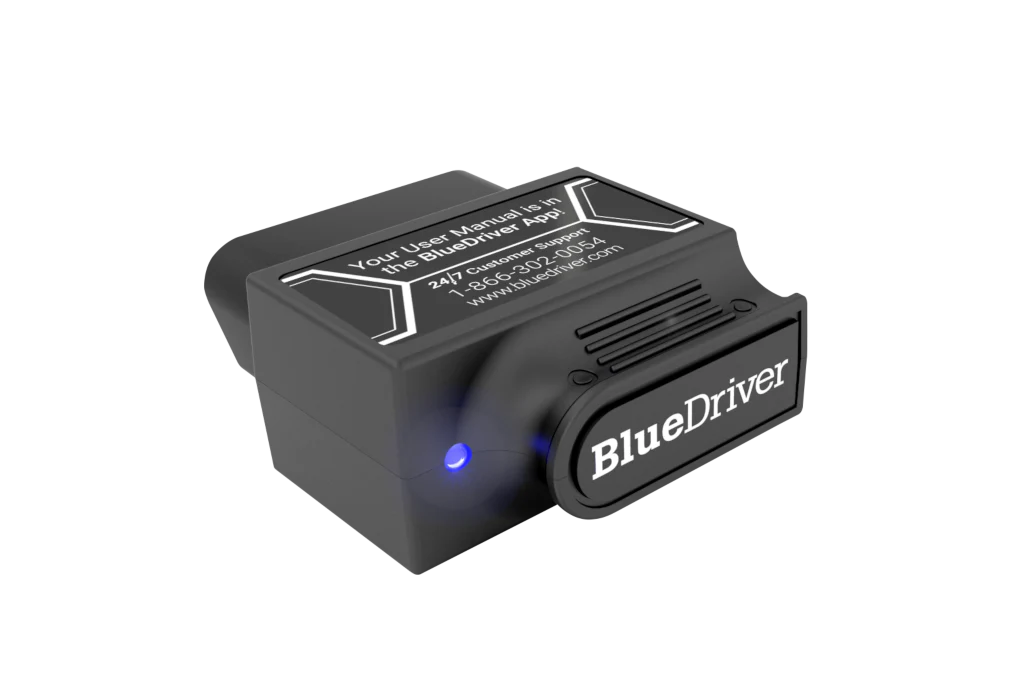
BlueDriver is a good candidate when the reader wants help interpreting a diagnostic code, not just a raw code number. The official BlueDriver Pro product page lists Repair Reports, Smog Check, Freeze Frame, Read and Clear Codes, Live Data, Mode 6, Bluetooth connectivity, iOS and Android support, and no in-app fees or add-ons. The same page showed $89.95 sale pricing, reduced from $119.95, when checked on April 30, 2026.
That does not make BlueDriver the right scanner for every garage. It is strongest when the BlueDriver app experience is the point. If you already know you need FORScan, BimmerCode, Torque, OBD Fusion, or another third-party app, BlueDriver is not the right starting point. If you want a scanner that tells you likely causes and reported fixes inside one app, it deserves close research.
| Buying question | BlueDriver answer | Why it matters |
|---|---|---|
| Better fit | Guided diagnostics, repair reports, smog readiness, beginner-friendly app use | BlueDriver reduces interpretation work for common DIY problems |
| Main caution | Enhanced diagnostics vary by vehicle | ABS, SRS, TPMS, and transmission access are not universal |
| Official price checked April 30, 2026 | Pro at $89.95 sale pricing; Pro Next-Gen at $119.95 | Treat pricing as a dated snapshot |
| Platform support | iOS and Android | Useful for phone-first garages |
| Not a fit for | Third-party apps, broad service resets, standalone screen | Those jobs point toward OBDLink, Autel, or a handheld scanner |
If your scanner search is still broad, start with our Bluetooth OBD2 scanner shortlist. If the decision is specifically BlueDriver versus app-flexible hardware, read OBDLink MX+ vs BlueDriver after this review.
What BlueDriver is built to do
BlueDriver is a Bluetooth OBD2 scanner that uses a phone app as the screen and diagnostic interface. The official product page frames it around professional-grade diagnostics from a smartphone, with features such as Repair Reports, enhanced codes, live data, freeze frame, Mode 6, and smog readiness.
The important distinction is that BlueDriver is not an open Bluetooth adapter. You are buying the scanner and the BlueDriver app workflow together. That can be a strength if you want a clean, guided experience. It can be a weakness if your actual goal is app choice.
The California Air Resources Board OBD II fact sheet explains the baseline: 1996 and newer gasoline and alternate-fuel passenger cars and trucks are required to have OBD II systems, and 1997 and newer diesel passenger cars and trucks are also covered. That baseline helps with emissions-related diagnostics. It does not guarantee every consumer scanner can read every brake, airbag, transmission, body, or service module.
Check 1: choose BlueDriver for guided repair reports, not third-party apps
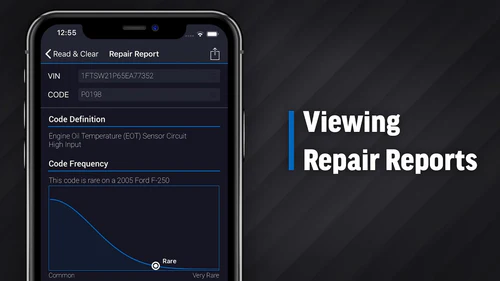
The clearest BlueDriver reason to buy is the Repair Report workflow. BlueDriver says Repair Reports are generated for each DTC and include possible causes, reported fixes, and more. The official Pro Next-Gen page also says BlueDriver matches the vehicle make, model, and trouble code to a specific fix from a database of millions of repairs.
Independent coverage supports that positioning. Tom's Guide described BlueDriver Pro as combining basic and manufacturer-specific fault-code access with advice on how to fix the problem. OBDadvisor's 2026 Bluetooth scanner guide also highlights BlueDriver for guided diagnostics and repair reports, while noting that it works only with the BlueDriver app.
That app lock-in is the tradeoff. If you want one guided experience, BlueDriver is attractive. If you want to experiment with several apps, build dashboards, use FORScan, or choose brand-specific coding software, research OBDLink MX+ instead.
Check 2: verify enhanced diagnostics before assuming ABS or airbag access
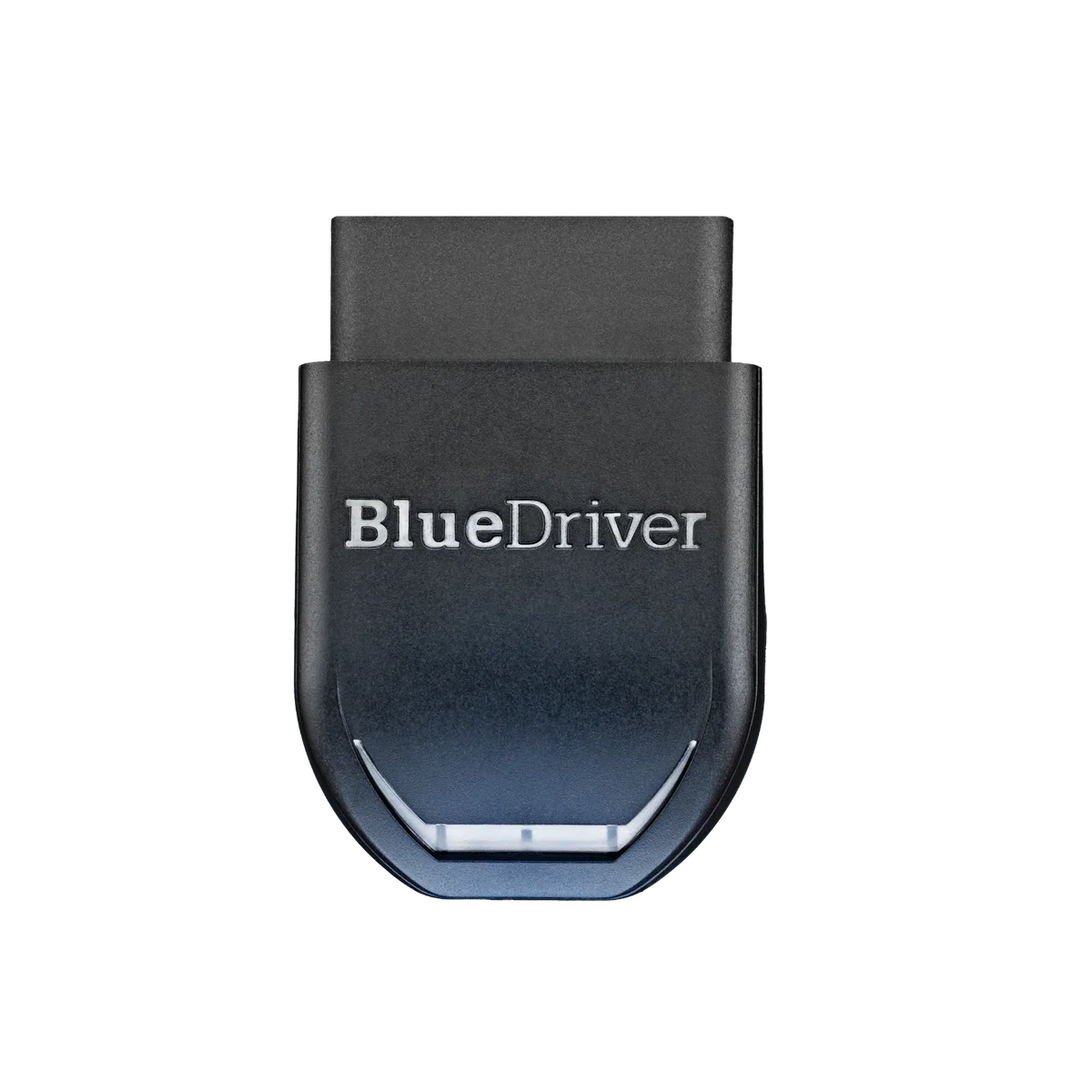
BlueDriver's official product page says it can read and clear check engine codes, enhanced codes such as ABS, Airbag, Transmission, and more. It also lists advanced diagnostics availability for makes such as GM, Ford, Toyota, Nissan, Mazda, Subaru, Hyundai and Kia, Mercedes, BMW and Mini, Honda and Acura, and Volkswagen group vehicles.
The important word is supported. BlueDriver's compatibility page asks for the country where the vehicle was sold new, then year, make, model, and engine. It explains that OBDII compatibility depends on the vehicle's sales region, not only where the vehicle was assembled. That is a useful warning for used imports and cross-market vehicles.
Enhanced diagnostics should be treated as a vehicle-specific claim. BlueDriver may be able to read ABS, airbag, transmission, TPMS, 4WD, AWD, hybrid, or EV systems on a supported vehicle. It should not be treated as a guarantee for every model year or every module.
Check 3: compare BlueDriver Pro and Pro Next-Gen by vehicle fit
BlueDriver now sells both BlueDriver Pro and BlueDriver Pro Next-Gen. The Pro page showed $89.95 sale pricing when checked on April 30, 2026. The official Pro Next-Gen page showed $119.95 and positioned the model for newer North American vehicles, including many gas, diesel, and hybrid vehicles.
The Pro Next-Gen customer review section includes a BlueDriver response that helps explain the positioning. BlueDriver describes Pro as intended for everyday car owners with gas-powered vehicles and Pro Next-Gen as optimized for newer and more demanding vehicles, including trucks, light-duty diesel users, small fleets, and later North American platforms.
That is useful, but it still does not replace a compatibility check. Do not choose Pro Next-Gen only because it sounds newer. Choose based on your vehicle, the systems you need to scan, and what the compatibility checker says.
Check 4: know where the app helps and where it limits you
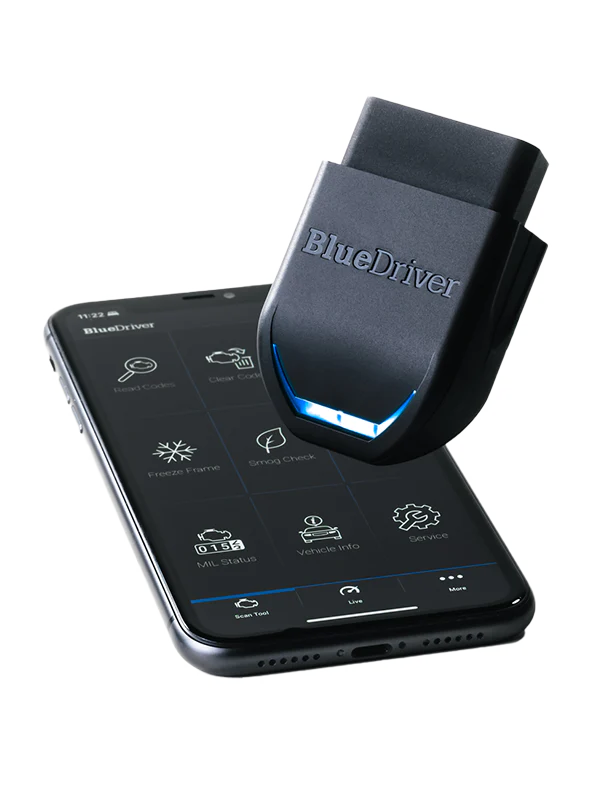
BlueDriver's app-first design is the main selling point. The official setup steps are simple: turn on Bluetooth, download the BlueDriver app from the App Store or Google Play, create an account or log in, plug the sensor into the OBDII port, turn ignition to key-on engine-off, accept phone permissions, and wait for the connection.
Tom's Guide found the app straightforward and useful for showing what is happening under the hood. It also noted that the app can capture live data and export data as a CSV file, while reports can point to possible causes and potential fixes.
The limitation is that BlueDriver is not a general-purpose Bluetooth adapter. OBDadvisor's 2026 guide says BlueDriver cannot pair with Torque Pro, FORScan, BimmerCode, or other third-party software. That makes BlueDriver easier for many beginners but less flexible for advanced app-specific workflows.
Check 5: use the compatibility checker before checkout
BlueDriver's own compatibility page is a must-use step before purchase. It lists diagnostics such as engine, ABS and brakes, transmission, airbags, TPMS, 4WD or AWD, hybrid and EV, and additional systems. It also separates active service, passive service, repair reports, freeze frame, smog check, MIL status, Mode 6, and live data.
This structure is useful because it stops a common buying mistake. A driver might search for a Bluetooth scanner that reads airbag codes, then assume every vehicle is covered. BlueDriver's checker makes the real question more precise: what country was the car sold in, what year, what make, what model, what engine, and which systems are supported?
If your planned job is emissions readiness or check engine code reading, the risk is lower. If your planned job is ABS, SRS, transmission, TPMS, battery registration, active service, or a hybrid system, check compatibility first and save the result before the return window closes.
Check 6: compare BlueDriver with OBDLink MX+ and Autel AP200 by job
BlueDriver is strongest when guided diagnostics matter more than software freedom. OBDLink MX+ is the better research path if you need third-party apps, Ford MS-CAN or GM SW-CAN support, Windows compatibility, FORScan-style workflows, or custom dashboards. Our OBDLink MX+ review explains that app-flexibility angle.
Autel AP200 is a different alternative. It is more relevant if the job is service reset intent, such as oil reset, EPB, BMS, SAS, TPMS, DPF, or IMMO on a supported vehicle. That is not the same as guided check-engine diagnostics. Our Autel AP200 review explains why software coverage matters before buying AP200.
The clean rule is simple: choose BlueDriver for a guided app and repair reports, OBDLink MX+ for app flexibility, and Autel AP200 for service-reset research on one known vehicle.
Check 7: price BlueDriver as a no-subscription app system
BlueDriver says the Pro scanner has no in-app fees or add-ons, and that one purchase gets the app features. That is a meaningful contrast with scanners that require brand packages, subscriptions, or paid add-ons for expanded coverage.
Still, no subscription does not mean every diagnostic job is included for every vehicle. The scanner price covers the hardware and app access. Vehicle support still depends on compatibility. Enhanced modules still depend on make, model, year, market, and the systems installed on the car.
Use the price snapshot carefully. The official Pro page showed $89.95 sale pricing and the Pro Next-Gen page showed $119.95 on April 30, 2026. Sale prices, review counts, warranty terms, and return policies can change.
Check 8: decide if BlueDriver fits how you actually diagnose
BlueDriver is convenient if your phone is always nearby and you like app-based guidance. It is less convenient if you prefer a standalone scanner with a screen, buttons, and no account or phone permissions. It is also not the best tool if your garage workflow depends on a Windows laptop or brand-specific software.
Physical fit matters too. Tom's Guide measured the Pro scanner at 2.2 by 1.9 by 1.0 inches and 2.4 ounces, and called it large for a Bluetooth scanner. That will not matter on many vehicles, but it can matter if the OBD port is near the driver's knee or recessed under a dash panel.
Before relying on BlueDriver for a repair, set it up early. Install the app, connect to the car, run a scan, check live data, and confirm the system you care about. A scanner is much easier to evaluate before the vehicle is already apart.
Internal research path
If you are still choosing a scanner type, use this order: start with our Bluetooth OBD2 scanners for DIY repairs, then compare OBDLink MX+ vs BlueDriver if your decision is guided diagnostics versus app flexibility. Use the OBD2 scanner compatibility guide before assuming enhanced module access. If price is the deciding factor, check the OBD2 scanner deals and software cost guide before treating any sale price as the full cost.
FAQ
Is BlueDriver worth it for DIY owners?
BlueDriver can be worth it if you want a simple phone-based scanner with guided repair reports, smog readiness, freeze frame, live data, Mode 6, and enhanced diagnostics on supported vehicles. It is less compelling if you only want a cheap code reader or if you need third-party app support.
Does BlueDriver have subscription fees?
BlueDriver says the Pro scanner has no in-app fees or add-ons and that one purchase gets the app features. That is a useful ownership-cost advantage, but it does not guarantee every enhanced diagnostic system is supported on every vehicle. Always check current product terms and compatibility before buying.
Can BlueDriver read ABS and airbag codes?
BlueDriver lists enhanced diagnostics such as ABS, Airbag, SRS, TPMS, and Transmission for supported makes and models. Coverage depends on the exact vehicle, sales region, year, engine, and supported systems. Use the BlueDriver compatibility checker before relying on it for a specific module.
What is the difference between BlueDriver Pro and Pro Next-Gen?
BlueDriver positions Pro as the simpler fit for everyday gas-powered vehicles, while Pro Next-Gen is aimed at newer North American vehicles, trucks, light-duty diesel users, and more demanding platforms. The practical choice should come from the compatibility checker, not the model name alone.
Is BlueDriver better than OBDLink MX+?
BlueDriver is usually better for a guided one-app experience with repair reports. OBDLink MX+ is usually better for third-party app flexibility, FORScan-style use, Ford or GM network access, Windows support, and custom dashboard workflows. The better scanner depends on the diagnostic job.
Final verdict
BlueDriver is not the most flexible Bluetooth OBD2 adapter. That is also the point. It is built for drivers who want the app to explain what a code may mean, show readiness data, and organize the next diagnostic step without forcing them to test several apps.
Buy BlueDriver if guided repair reports and simple phone-based diagnostics match your problem. Do more research if you need enhanced coverage on a specific vehicle, service reset functions, or third-party software. The right scanner is the one that matches the job before the warning light turns a small purchase into a rushed decision.
Editorial note: This article is source-backed and does not claim first-hand bench testing. See the Premerinn about page and editorial policy for our review standards.
Reference Sources
- BlueDriver Pro official product page
- BlueDriver Pro Next-Gen official product page
- BlueDriver Pro vehicle compatibility page
- California Air Resources Board OBD II fact sheet
- Tom's Guide BlueDriver Pro review
- OBDadvisor 2026 Bluetooth scanner guide
- OBDadvisor BlueDriver review
Title Candidates
- BlueDriver Review: 8 Checks Before You Buy This Bluetooth OBD2 Scanner for Guided Diagnostics in 2026
- Before You Buy BlueDriver: The Repair Report, Compatibility, and App Limits That Matter
- BlueDriver Pro Review for DIY Owners: When This Bluetooth Scanner Makes Sense and When It Does Not
- The BlueDriver Buying Mistake: Assuming Enhanced Diagnostics Work on Every Vehicle
- BlueDriver Pro vs Pro Next-Gen: Which Scanner Should DIY Owners Research First