
BlueDriver Pro vs Pro Next-Gen: 7 Checks Before You Upgrade Your OBD2 Scanner in 2026
Two BlueDriver scanners can look almost identical when all you want is a quick answer to a warning light. Both plug into the OBD2 port. Both use the BlueDriver app. Both promise guided diagnostics instead of a bare code number. The real question in a BlueDriver Pro vs Pro Next-Gen decision is whether the newer model actually changes the job on your vehicle.
The short version: buy BlueDriver Pro when you want the lower-cost BlueDriver app workflow for everyday DIY diagnostics. Consider BlueDriver Pro Next-Gen when your vehicle is newer, truck-focused, light-duty diesel, or part of a more demanding North American scan workflow and the compatibility checker supports the systems you need.
Scope note: Premerinn has not performed first-hand bench testing on either scanner. This comparison is based on official BlueDriver product pages, BlueDriver compatibility pages, independent BlueDriver coverage, public OBD-II guidance, and source checks completed on April 30, 2026. See our editorial policy and about page for how we separate source-backed analysis from merchant claims. If commerce links are added by the publishing system, our disclosure is here: affiliate disclosure.
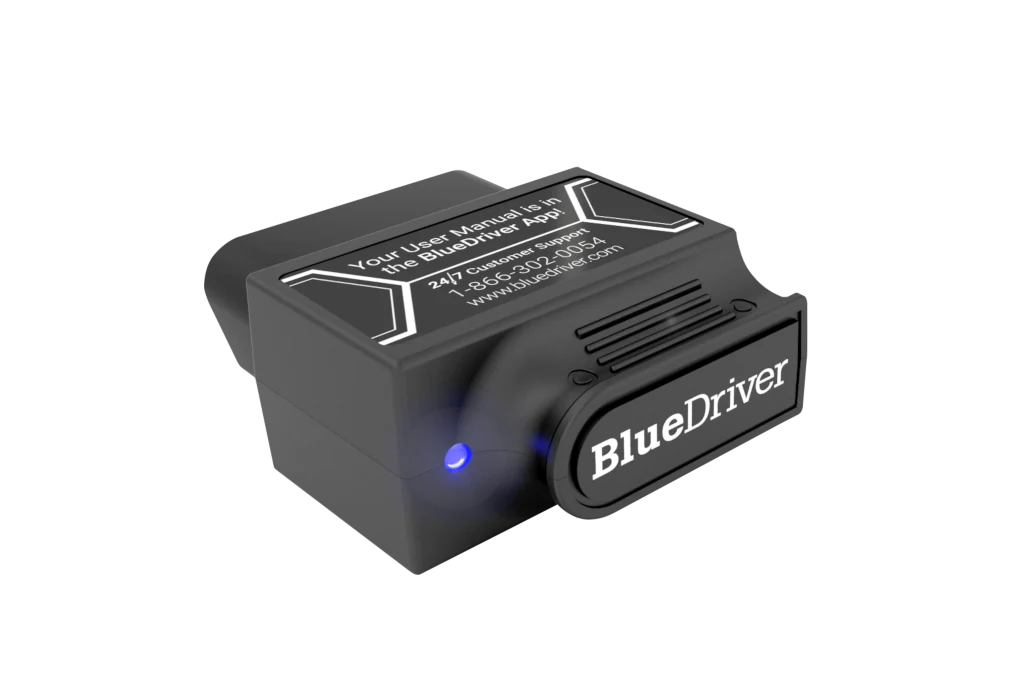
BlueDriver Pro vs Pro Next-Gen: quick answer
BlueDriver Pro is the value pick inside the BlueDriver lineup. The official BlueDriver Pro page showed $89.95 sale pricing, down from $119.95, when checked on April 30, 2026. It lists Repair Reports, smog check, freeze frame, read and clear codes, live data, Mode 6, iOS and Android support, Bluetooth connection, no in-app fees or add-ons, a 180-day risk-free return policy, and a 1-year limited warranty.
BlueDriver Pro Next-Gen is the upgrade path. The official Next-Gen page showed $119.95 on the same check date. BlueDriver positions it for newer North American model vehicles, including many gas, diesel, and hybrid cars, SUVs, light trucks, and supported makes with enhanced diagnostics.
| Buying question | BlueDriver Pro | BlueDriver Pro Next-Gen |
|---|---|---|
| Better fit | Everyday gas-powered cars and SUVs where the Pro checker confirms coverage | Newer North American vehicles, trucks, select light-duty diesel users, and small fleets where Next-Gen confirms coverage |
| Official price checked April 30, 2026 | $89.95 sale pricing | $119.95 |
| App model | BlueDriver app only | BlueDriver app only |
| Subscription model | Official page says no in-app fees or add-ons | Official page says no in-app fees or add-ons |
| Key risk | Buying it for a module the compatibility checker does not support | Paying more without a confirmed vehicle-specific benefit |
| Main decision rule | Choose when it covers your car and job | Choose when your car and job need the upgrade path |
The point is not that one scanner is universally superior. The point is that the upgrade only matters if your vehicle, diagnostic system, and use case make it matter.
Check 1: start with the vehicle, not the model name
The BlueDriver lineup can tempt buyers into a simple newer-is-better decision. That is the wrong starting point. OBD2 support is not the same as full vehicle support. The California Air Resources Board explains that OBD II sets a baseline for emissions-related diagnostics on modern passenger vehicles, but that baseline does not guarantee every consumer scanner can read every ABS, airbag, transmission, TPMS, body, hybrid, or service system.
BlueDriver itself makes compatibility vehicle-specific. Its Pro compatibility page and Next-Gen compatibility page ask where the vehicle was sold new, then year, make, model, and engine. The pages explicitly tie compatibility to the original sales region, not just the factory where the car was assembled.
That matters for imported vehicles, Canadian or US variants, diesel trucks, hybrids, and late-model platforms. If your car is covered by Pro for the systems you need, paying more for Next-Gen may not change your outcome. If your vehicle sits in the newer truck or light-duty diesel lane, Next-Gen deserves the first compatibility check.
Check 2: BlueDriver Pro is still the simpler value route
BlueDriver Pro is not outdated just because Next-Gen exists. The official Pro page still presents the core BlueDriver promise: one Bluetooth scanner, one phone app, Repair Reports, live data, smog readiness, Mode 6, read and clear codes, and supported enhanced diagnostics.
Independent coverage supports that positioning. Tom's Guide found that BlueDriver Pro combines basic and manufacturer-specific fault code access with repair guidance. It also noted two practical limits: the transmitter is physically larger than many Bluetooth dongles, and some specialty monitoring depends on the vehicle.
That combination makes Pro a strong fit for drivers who want guided code interpretation without choosing third-party apps. It is less attractive if the reason you are shopping is a newer truck platform, a light-duty diesel use case, or a system that BlueDriver Pro does not confirm for your exact vehicle.
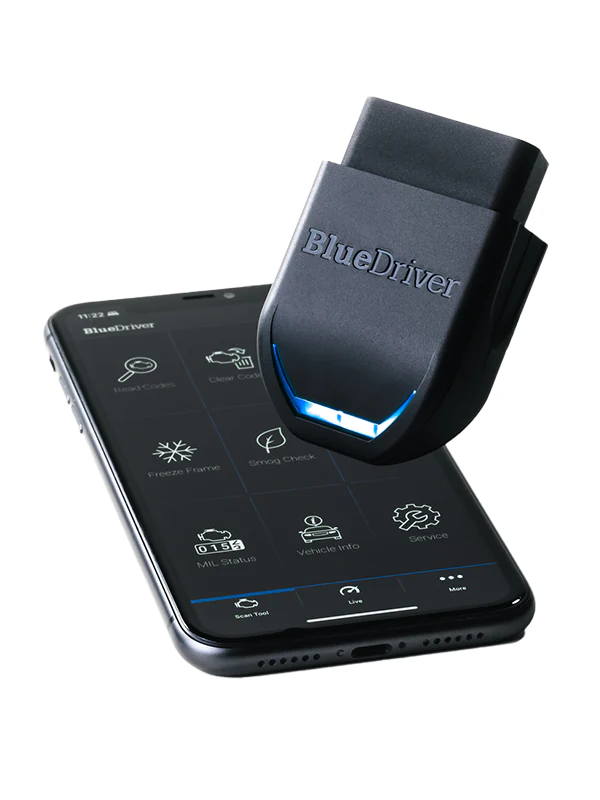
Check 3: Pro Next-Gen is an upgrade path, not a magic coverage guarantee
BlueDriver describes Pro Next-Gen as the better match for newer North American model vehicles. A public BlueDriver response on the Next-Gen product page says the newer model is aimed at more demanding vehicles, including trucks, light-duty diesel users, and small fleets, with improved access to truck systems and late-model platforms.
That is useful guidance, but it is not a universal guarantee. The Next-Gen compatibility checker still matters. If it does not show support for the exact system you need, the higher price is not a real upgrade. If it does show support for your truck, diesel, hybrid, or late-model platform, the extra cost becomes easier to justify.
Treat Next-Gen as a targeted fit decision. It is for the buyer who can name the vehicle and system before checkout. It is not for the buyer who simply wants the newest badge.
Check 4: both models share the same guided app philosophy
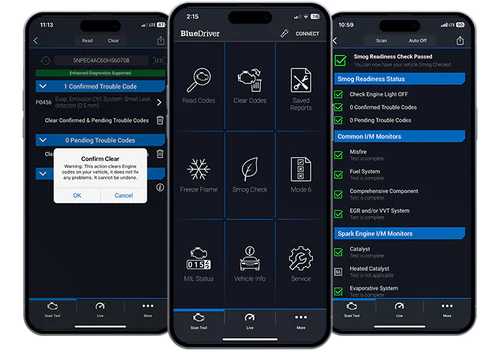
Neither BlueDriver model is an open Bluetooth adapter for apps like FORScan, BimmerCode, Torque, or OBD Fusion. The BlueDriver choice is about the BlueDriver app itself: repair reports, code explanations, freeze frame, smog readiness, Mode 6, and supported enhanced diagnostics in one workflow.
That is a benefit for beginners and busy owners. Instead of choosing a scanner, then choosing an app, then checking app-by-app compatibility, BlueDriver keeps the workflow inside one ecosystem. The cost is less flexibility. If your actual goal is third-party app support, our OBDLink MX+ vs BlueDriver comparison is the better next read.
For buyers staying inside BlueDriver, the app experience is not the main split. The split is vehicle fit. Pro and Next-Gen are different ways into the same guided system, not two completely different diagnostic philosophies.
Check 5: compare total cost, not only checkout price
The official price gap checked for this article was $30: BlueDriver Pro at $89.95 sale pricing and Pro Next-Gen at $119.95. That gap is not large enough to decide alone, but it is large enough to punish vague buying.
Choose Pro if you are buying for a supported everyday gas car and the systems you need are confirmed. The lower price keeps the value case clean. Choose Next-Gen if the compatibility checker shows better fit for the newer vehicle or truck use case that made you compare the two models in the first place.
Both official pages list no in-app fees or add-ons. That is useful compared with scanners that require paid brand packages, but it does not remove compatibility risk. The return window is part of the buying process. Plug the scanner into the actual car, run the scan, check the systems you care about, and confirm that the app does what you bought it to do.
Check 6: decide whether truck, diesel, or fleet use is real
The biggest reason to look at Next-Gen is not a normal check engine light on a normal commuter car. It is a vehicle mix that makes Pro feel too generic: newer North American platforms, trucks, light-duty diesel, or a small set of vehicles where deeper system access matters.
If you own one gas-powered sedan and want repair reports for common DIY diagnostics, Pro is usually the cleaner first research path. If you own a newer pickup, a light-duty diesel, or several household or work vehicles, Next-Gen deserves a closer look. The compatibility checker should decide, not the product name.
OBDadvisor's BlueDriver vs FIXD coverage also frames BlueDriver around guided diagnostics and app-based convenience. That is still the core value. The model decision is about whether your vehicle type benefits from the newer hardware path.
Check 7: avoid upgrading for problems BlueDriver is not designed to solve
BlueDriver is useful for many DIY diagnostics, but it is not the right answer for every automotive job. If you need broad service reset coverage, battery registration across many makes, coding, bidirectional controls, or brand-specific apps, compare other scanner categories before upgrading within BlueDriver.
For service reset intent, read our Autel AP200 review. For open app workflows, read our OBDLink MX+ review. For vehicle fit questions, use the OBD2 scanner compatibility guide before buying either BlueDriver model.
The disciplined move is simple: write down the diagnostic job first. Then choose the scanner. Buying the newer BlueDriver model without that sentence can turn a small upgrade into a tool that still does not answer your real question.

Which BlueDriver model should you choose?
Choose BlueDriver Pro if your vehicle is covered, your main jobs are check engine diagnostics, smog readiness, repair reports, freeze frame, live data, and supported enhanced codes, and you want the lower official price. That is the clean value case.
Choose BlueDriver Pro Next-Gen if the compatibility checker supports your newer North American vehicle, truck, light-duty diesel, or multi-vehicle workflow and you want the newer model path for that reason. That is the clean upgrade case.
Do not choose either model blindly. BlueDriver's strongest feature is the guided app workflow. Its biggest risk is assuming that every advanced system is supported on every vehicle. The compatibility checker is not a formality. It is the buying step.
Internal research path
If you are still deciding whether BlueDriver is the right brand, start with our BlueDriver review. If you are comparing BlueDriver against a more flexible adapter, read OBDLink MX+ vs BlueDriver. If price is the deciding factor, use the OBD2 scanner deals and software cost guide. If the question is whether a scanner will work on your exact car, use the OBD2 scanner compatibility guide.
FAQ
Is BlueDriver Pro Next-Gen better than BlueDriver Pro?
It can be better for newer North American vehicles, trucks, select light-duty diesel users, and small fleet workflows when compatibility is confirmed. It is not automatically better for every owner. If BlueDriver Pro already supports your vehicle and diagnostic systems, the lower-cost model may be the more practical buy.
What is the main difference between BlueDriver Pro and Pro Next-Gen?
The main difference is positioning and vehicle fit. BlueDriver Pro is aimed at everyday drivers who want the standard BlueDriver guided app experience. Pro Next-Gen is positioned toward newer and more demanding vehicles, including trucks and select light-duty diesel use cases. Always confirm with the compatibility checker.
Do both BlueDriver models use the same app?
Yes. Both are built around the BlueDriver app, not third-party scanner apps. That means repair reports, smog readiness, freeze frame, live data, Mode 6, and supported enhanced diagnostics stay inside the BlueDriver workflow.
Does BlueDriver require a subscription?
BlueDriver says there are no in-app fees or add-ons, and that one purchase gets the app features. Product terms and pricing can change, so verify the current official page before purchase.
Should I upgrade from BlueDriver Pro to BlueDriver Pro Next-Gen?
Upgrade only if your current scanner does not cover the vehicle or diagnostic system you need and the Next-Gen checker confirms a better fit. Do not upgrade only because the model name sounds newer. A confirmed compatibility gain is the reason to spend more.
Final verdict
BlueDriver Pro is the sensible pick for many everyday DIY owners because it delivers the guided BlueDriver app experience at the lower checked price. BlueDriver Pro Next-Gen is the better research path when the vehicle is newer, truck-focused, light-duty diesel, or part of a small fleet workflow.
The decision should feel boring: check the exact vehicle, check the exact system, compare the price gap, then buy the scanner that answers that job. That is how you avoid paying for an upgrade that does not change the repair in front of you.
Editorial note: This article is source-backed and does not claim first-hand bench testing. See the Premerinn about page and editorial policy for our review standards.
Reference Sources
- BlueDriver Pro official product page
- BlueDriver Pro Next-Gen official product page
- BlueDriver Pro compatibility page
- BlueDriver Pro Next-Gen compatibility page
- Tom's Guide BlueDriver Pro review
- OBDadvisor BlueDriver vs FIXD comparison
- California Air Resources Board OBD II fact sheet
Title Candidates
- BlueDriver Pro vs Pro Next-Gen: 7 Checks Before You Upgrade Your OBD2 Scanner in 2026
- BlueDriver Pro or Pro Next-Gen? The Vehicle Fit Check That Matters First
- Before You Buy BlueDriver Next-Gen, Compare These 7 Upgrade Risks
- BlueDriver Pro vs Pro Next-Gen: Which Scanner Fits Your Car, Truck, or Diesel?
- The BlueDriver Upgrade Mistake: Buying Next-Gen Before Checking Compatibility